
SaaS Customer Support Best Practices to Boost Satisfaction
Learn top SaaS customer support best practices to improve response times, reduce tickets, and enhance client satisfaction. Click to discover actionable tips!
In the competitive SaaS landscape, exceptional customer support is no longer a luxury; it's a core driver of retention and growth. While traditional support models focus on simply closing tickets, today's leading companies are adopting proactive, data-driven strategies that transform support from a cost center into a powerful value generator. Moving beyond generic advice, this article provides a strategic blueprint of 7 actionable SaaS customer support best practices designed for immediate implementation.
We will explore how to build an integrated, intelligent, and scalable support ecosystem. You will learn how to implement a true omnichannel strategy, optimize a self-service knowledge base that customers actually use, and leverage AI for smart automation. We'll also cover proactive communication tactics that anticipate user needs and data-driven methods for integrating support with customer success.
This guide is for business owners, product teams, and marketing agencies aiming to create a support experience that not only resolves issues efficiently but also enhances product adoption and reduces churn. Prepare to implement concrete strategies that boost customer satisfaction and set your service apart. These practices are essential for building the loyalty that fuels sustainable success in the modern software market.
1. Weave a Seamless Omnichannel Support Strategy
The first of our SaaS customer support best practices involves shifting from a multi-channel approach to a truly integrated omnichannel strategy. While multi-channel support means being available on various platforms like email, live chat, and social media, omnichannel support harmonizes these channels into a single, continuous conversation. This ensures that a customer's interaction history and context follow them seamlessly, no matter which channel they use to connect with your team.

The core benefit is the elimination of customer frustration. Users no longer need to repeat their issue every time they switch from a chat window to a phone call. This unified view empowers your support agents with a complete historical picture, enabling them to resolve issues faster and with greater accuracy. This approach transforms your support function from simply managing tickets to nurturing holistic customer relationships.
Key Insight: Omnichannel isn't about adding more channels; it's about connecting the ones you have to create one unified customer story.
How to Implement an Omnichannel Strategy
Successfully weaving this strategy into your SaaS operations requires a thoughtful, phased approach. Platforms like Zendesk and Salesforce Service Cloud provide the foundational technology, but effective implementation is key.
Here are actionable steps to get started:
- Start Small and Scale: Begin by integrating 2-3 of your most popular channels, such as email and live chat. Master the integration and data flow between these before adding more complex channels like phone or social media.
- Establish Robust Identification: Implement a system to consistently identify customers across all platforms. This can be based on email addresses, user IDs, or phone numbers, ensuring every interaction is linked to the correct customer profile.
- Train for Channel Nuance: Equip your agents to handle the unique communication styles of each channel. A formal email response differs greatly from a quick, conversational chat message.
- Standardize Data Tagging: Use consistent tags and categories for issues across every channel. This ensures your analytics are clean and provide a true, collective view of support trends.
2. Self-Service Knowledge Base Optimization
The next essential SaaS customer support best practice is empowering customers to help themselves. A strategic, well-optimized self-service knowledge base allows users to find answers to their questions independently, 24/7. This involves creating a comprehensive, easily searchable hub with articles, FAQs, and video tutorials that address common issues, thereby reducing support ticket volume and freeing up your agents to handle more complex inquiries.
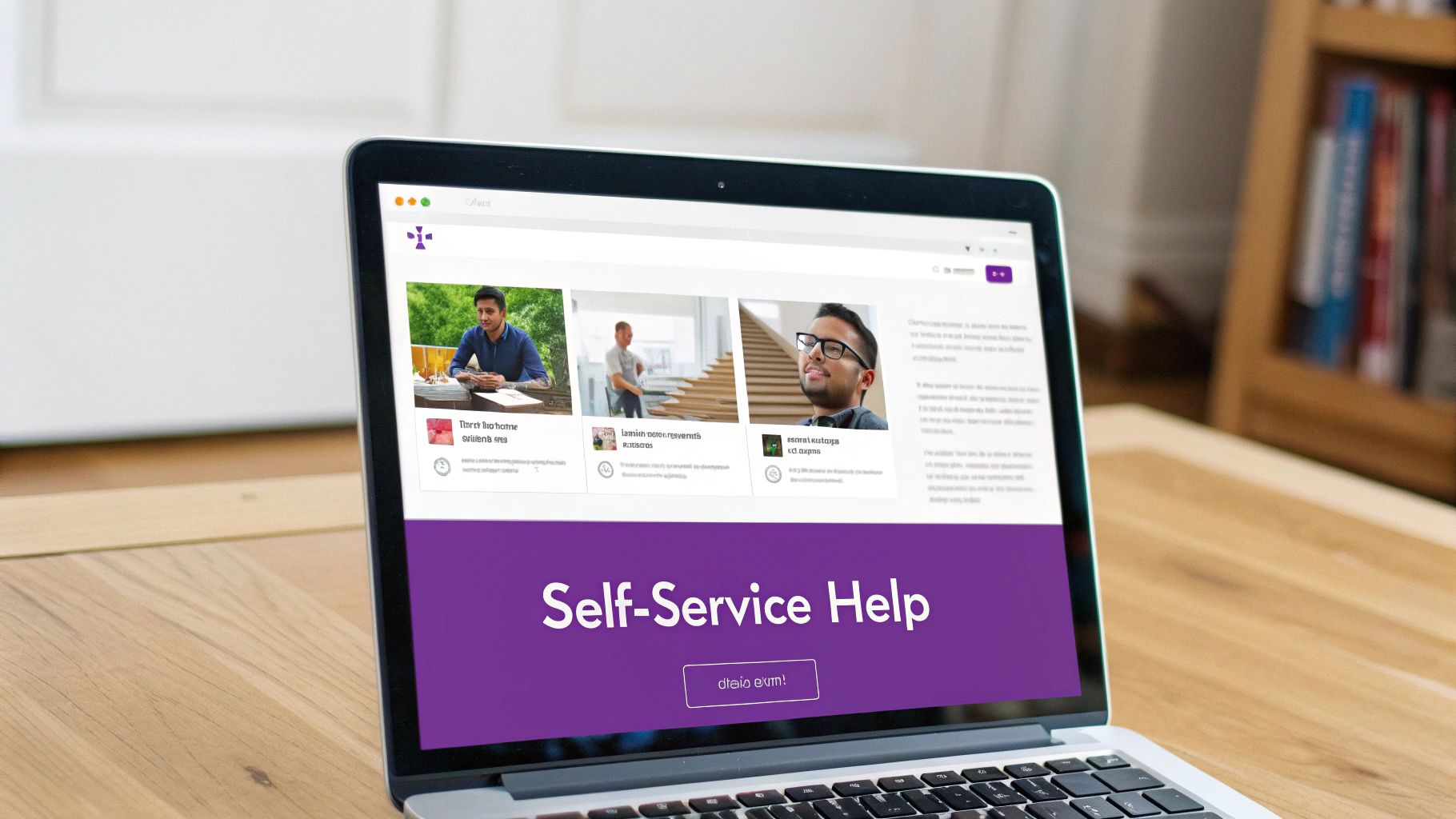
The primary benefit is twofold: it significantly improves customer satisfaction by providing instant solutions and drastically lowers your support costs. When users can resolve their own problems without waiting for an agent, their perception of your product and service improves. This approach, championed by companies like Atlassian with its Confluence-powered documentation and Stripe with its developer-centric guides, turns your documentation from a static resource into a dynamic problem-solving tool. To elevate your self-service capabilities, consider leveraging advanced solutions such as an AI-powered knowledge base that can dynamically assist users.
Key Insight: A great knowledge base doesn't just answer questions; it anticipates them, turning proactive documentation into your first line of defense against support tickets.
How to Implement Knowledge Base Optimization
Building an effective knowledge base is an ongoing process of creation, refinement, and analysis. Platforms like Zendesk Guide and Intercom provide excellent foundations, but the quality of your content and user experience will determine its success. Get to grips with the essentials of customer service knowledge management to build a strong foundation.
Here are actionable steps to get started:
- Analyze Support Tickets: Use your support ticket data to identify the most frequently asked questions and common problems. These topics should be the first articles you create, as they offer the highest return on investment for ticket deflection.
- Use Clear, Simple Language: Write content for clarity, not complexity. Avoid technical jargon and use a conversational tone. Structure articles with clear headings, short paragraphs, and bullet points for easy scanning.
- Implement Robust Search: A knowledge base is only useful if customers can find what they need. Ensure your search functionality is powerful, with features like autocomplete and tolerance for typos, to deliver relevant results quickly.
- Incorporate Visual Aids: For complex processes or feature explanations, use visuals like annotated screenshots, GIFs, or short video tutorials. This caters to different learning styles and makes instructions easier to follow.
- Establish a Review Cadence: Products evolve, and so should your documentation. Schedule regular content reviews to update articles after product changes, ensuring all information remains accurate and relevant.
3. Champion Proactive Customer Communication
A truly elite approach to SaaS customer support best practices involves moving beyond a reactive model and championing proactive communication. This strategy focuses on anticipating customer needs and reaching out with relevant information, updates, and solutions before a customer even realizes they have a problem or need to ask for help. This transforms your support from a problem-solving function into a value-delivery engine.
This forward-thinking approach can manifest as system status updates during an outage, personalized feature announcements based on usage, or automated insights to help users get more from your product. For instance, Asana sends users personalized productivity reports, while Slack proactively messages admins with tips for workspace optimization. The goal is to solve problems before they become support tickets, demonstrating a deep understanding of the customer journey.
Key Insight: Proactive support shifts the narrative from "we'll fix it when it breaks" to "we're here to help you succeed," building immense trust and loyalty.
How to Implement Proactive Communication
Building a proactive communication system requires a deep integration of your product analytics, CRM, and communication tools. Platforms like Intercom and Mailchimp have popularized this with behavioral messaging and customer journey automation, but successful execution depends on a clear strategy.
Here are actionable steps to get started:
- Segment Your Audience: Use product usage data to segment customers based on their behavior, plan type, or feature adoption. A new user needs onboarding tips, while a power user might appreciate advanced workflow suggestions.
- Leverage Behavioral Triggers: Set up automated messages triggered by specific user actions (or inaction). For example, if a user hasn't adopted a key feature after 30 days, trigger an email or in-app message highlighting its benefits.
- Always Provide Clear Value: Every proactive message must be helpful, not intrusive. Whether it’s an alert about a potential issue or a tip for a better workflow, the communication should clearly benefit the user.
- Offer Preference Customization: Allow users to opt in or out of different types of communications. This respects their inbox and ensures the messages you do send are welcome and more likely to be engaged with.
4. Data-Driven Customer Success Integration
Another of the most impactful SaaS customer support best practices is to strategically align your support and customer success teams. This means moving beyond a siloed approach where support reactively fixes problems and success proactively builds relationships. By integrating these functions, you can leverage rich support data to inform your customer success strategy, transforming a cost center into a powerful engine for growth, retention, and expansion.
This integration involves analyzing support ticket data, chat transcripts, and customer feedback to identify early warning signs of churn or opportunities for deeper engagement. When a high-value customer repeatedly contacts support about a specific feature, it's not just a support issue; it's a success signal. This data allows the success team to intervene with targeted training or demonstrate additional value, preventing frustration and strengthening the partnership.
Key Insight: Customer support interactions are a real-time feed of your customer's health. Integrating this data with customer success turns reactive problem-solving into proactive value creation.
How to Implement Data-Driven Integration
Forging this connection requires both the right technology and a shared mindset. Platforms like Gainsight and ChurnZero are designed for this, linking support interactions with overall customer health scores. The goal is to create a unified view of the customer journey, where support data enriches every other touchpoint.
Here are actionable steps to get started:
- Define Clear Handoffs: Establish specific triggers for when a support issue should be escalated to the customer success team. This could be based on the customer's tier, the number of tickets submitted in a month, or the nature of the issue (e.g., questions about upgrading).
- Create Unified Customer Scoring: Develop a customer health score that incorporates key support metrics. Factors like ticket volume, resolution time, and sentiment analysis can provide a more accurate picture of customer satisfaction and risk. Understanding these customer support metrics is the first step toward effective scoring.
- Turn Support Themes into Insights: Regularly analyze support ticket tags and categories to identify common pain points. Share this analysis with both the product and success teams to inform the product roadmap and create proactive educational content.
- Train Support to Spot Opportunities: Empower your support agents to identify signs of both churn risk and expansion opportunities. A customer asking about API limits might be a candidate for an upgrade, a conversation that success is better equipped to handle.
5. Embrace AI-Powered Support Automation
Another essential SaaS customer support best practice is the strategic implementation of artificial intelligence to automate routine tasks and augment your human support team. AI-powered automation goes beyond basic chatbots by using machine learning to understand customer intent, provide instant resolutions for common issues, and intelligently route complex queries. This approach handles high-volume, repetitive questions, freeing up your skilled agents to focus on high-value, nuanced customer problems that require a human touch.
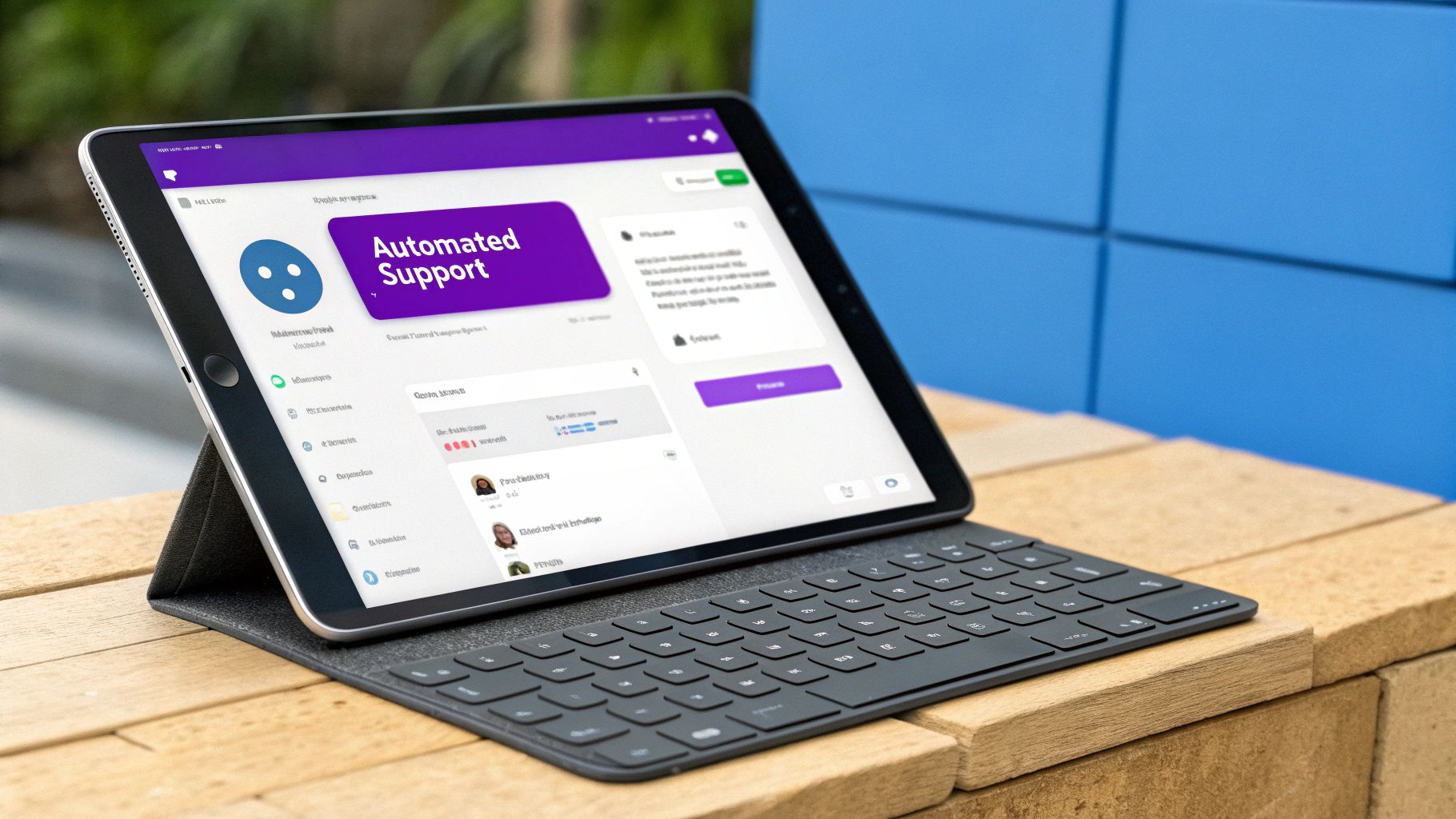
The primary benefit is a dramatic increase in efficiency and scalability. AI can provide 24/7 support, drastically reduce first-response times, and manage a volume of inquiries impossible for a human team alone. Tools like Intercom’s Resolution Bot or Zendesk's Answer Bot are prime examples, automatically resolving common queries or suggesting relevant help articles. This not only improves key support metrics but also boosts customer satisfaction by delivering immediate answers.
Key Insight: The goal of AI in support isn't to replace human agents, but to supercharge their abilities by handling the repetitive work, allowing them to focus on complex problem-solving.
How to Implement AI Support Automation
Integrating AI effectively requires a deliberate strategy focused on enhancing, not obstructing, the customer experience. While platforms like Ada and Drift offer powerful conversational AI, successful deployment hinges on a thoughtful rollout. To learn more about this topic, explore our complete guide on customer support automation.
Here are actionable steps to get started:
- Target High-Volume, Low-Complexity Issues: Begin by analyzing your support tickets to identify the most frequent and simple questions, such as password resets or pricing inquiries. Automate these first to achieve quick wins and demonstrate value.
- Ensure a Seamless Human Handoff: Always provide a clear and easy path for customers to escalate to a human agent. The AI should never be a dead end; design the experience so the transition is smooth and includes the full conversation context.
- Continuously Train Your AI Model: An AI is only as good as the data it's trained on. Regularly feed your model new support conversations, agent feedback, and updated knowledge base articles to improve its accuracy and conversational skills over time.
- Monitor Performance and Satisfaction: Track key metrics like AI resolution rate, deflection rate, and customer satisfaction (CSAT) scores for AI-led interactions. Use this data to identify areas for improvement and refine your automation strategy.
6. Tiered Support Structure with SLA Management
Implementing a tiered support structure is a cornerstone of efficient SaaS customer support best practices. This model organizes your support team into distinct levels, or tiers, based on issue complexity and agent expertise. Simple, common queries are handled by Tier 1, while more complex technical problems are escalated to specialized Tier 2 or Tier 3 teams. This ensures that resources are allocated effectively, with the right experts tackling the right problems.
This systematic approach is paired with Service Level Agreements (SLAs), which are formal commitments defining response and resolution time targets for different issue priorities or customer plans. For instance, enterprise clients of companies like Salesforce or AWS receive much faster, guaranteed response times compared to standard users. This structure not only streamlines internal workflows but also sets clear, manageable expectations for your customers.
Key Insight: A tiered model isn't about creating hierarchy; it's about creating a clear pathway for efficient problem resolution that matches issue complexity with agent expertise.
This infographic illustrates a typical tiered support escalation path with corresponding SLA targets.
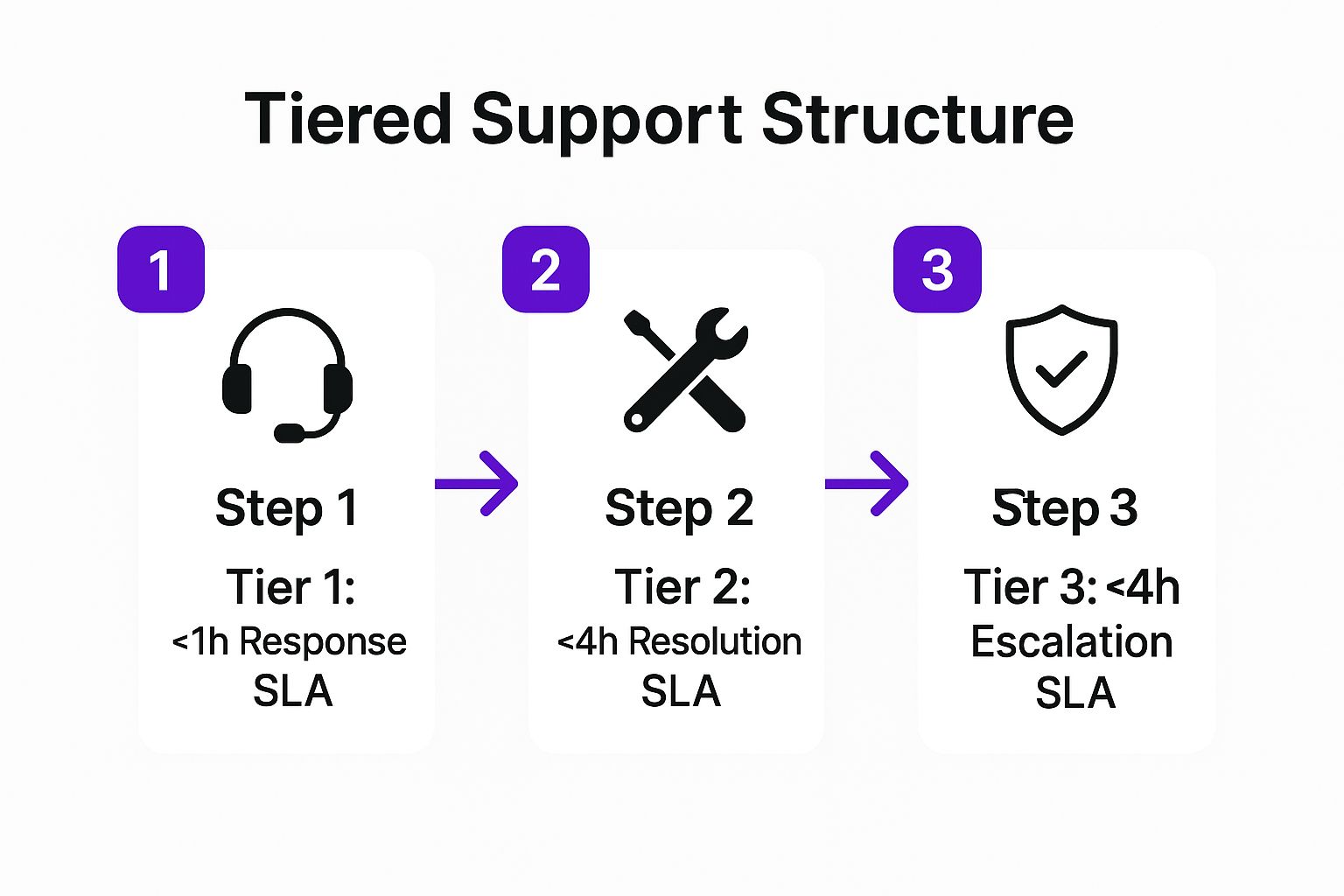
The visualization demonstrates how SLAs become more focused on resolution and strategic handling as a ticket moves up the tiers, ensuring accountability at every stage.
How to Implement a Tiered Support Structure
Building an effective tiered system requires more than just creating teams; it demands clear processes and robust knowledge sharing. This approach, popularized by ITIL frameworks, ensures scalability and consistency as your SaaS company grows.
Here are actionable steps to get started:
- Define Clear Escalation Triggers: Document exactly what criteria require a ticket to be moved from Tier 1 to Tier 2. This could be based on technical complexity, the need for backend access, or if an issue remains unresolved after a set time.
- Prioritize Based on Value and Complexity: Use a matrix to assign priority. A high-value customer with a simple issue might get the same rapid response as a standard customer with a critical, system-wide bug.
- Establish a Knowledge Feedback Loop: Create a formal process for Tier 2 and Tier 3 agents to document solutions and share them with Tier 1. This builds the Tier 1 knowledge base, reducing future escalations and empowering frontline agents.
- Monitor SLA Performance Diligently: Use your help desk software to track SLA metrics like first-response time and full-resolution time for each tier. Regularly review these reports to identify bottlenecks or training needs.
7. Continuous Feedback Loop Implementation
One of the most powerful SaaS customer support best practices is to build a system that methodically collects, analyzes, and acts on customer feedback. This is far more than just sending a survey after an interaction. A continuous feedback loop involves creating multiple collection points throughout the customer journey and, crucially, using that data to fuel measurable improvements in your support processes, agent training, and even your product roadmap.
This systematic approach moves your team from a reactive problem-solving mode to a proactive, improvement-focused state. By consistently listening to your users, you can identify friction points and address them before they escalate into widespread issues. This not only boosts customer satisfaction but also provides invaluable insights that can guide strategic business decisions.
Key Insight: Effective feedback isn't just about collecting scores like CSAT or NPS; it's about translating those scores and comments into specific, actionable changes that customers can see and feel.
How to Implement a Continuous Feedback Loop
Building a robust feedback loop requires a commitment to listening and a clear process for action. Tools like Delighted or the built-in features in platforms like Zendesk and ServiceNow can automate collection, but the real value comes from the internal process you establish.
Here are actionable steps to create your feedback system:
- Diversify Feedback Channels: Don't rely solely on post-ticket surveys. Implement a mix of methods, such as Customer Effort Score (CES) surveys to measure ease of resolution, Net Promoter Score (NPS) to gauge long-term loyalty, and in-app feedback widgets to capture contextual insights.
- Establish Clear Ownership: Create a cross-functional team, including members from support, product, and marketing, to review feedback regularly. This ensures that systemic issues identified by support don't get lost and are addressed by the appropriate department.
- "Close the Loop" with Customers: When you implement a change based on feedback, communicate it. Whether it's a personal follow-up email to a customer who reported an issue or a blog post announcing a new feature they asked for, closing the loop shows customers you are listening and value their input.
- Use Feedback for Agent Coaching: Analyze feedback trends to pinpoint specific training needs. If multiple customers mention confusion about a certain feature, you can create targeted training materials and knowledge base articles to better equip your agents to handle those questions.
7 Best Practices Comparison Guide
| Strategy | Implementation Complexity | Resource Requirements | Expected Outcomes | Ideal Use Cases | Key Advantages |
|---|---|---|---|---|---|
| Omnichannel Support Strategy | High – complex integrations | Extensive tech integration, agent training | Seamless multi-channel support, improved satisfaction | Businesses needing unified multi-channel service | Unified workflows, better insights, faster resolution |
| Self-Service Knowledge Base Optimization | Medium – content creation & maintenance | Significant content development, ongoing updates | Reduced ticket volume, 24/7 support, improved satisfaction | Companies with common, repeatable queries | Scalability, instant answers, cost reduction |
| Proactive Customer Communication | Medium-High – data analysis & automation | Advanced analytics tools, communication platforms | Reduced tickets, increased retention, stronger relationships | SaaS with complex products and active user base | Churn reduction, better adoption, trust building |
| Data-Driven Customer Success Integration | High – complex data & team alignment | Analytics infrastructure, skilled staff | Early churn prevention, higher lifetime value, product insights | Companies focused on growth and retention | Personalized attention, improved product roadmap |
| AI-Powered Support Automation | High – AI systems setup & training | AI tech investment, continuous model tuning | Instant responses, operational efficiency, scalable support | High volume of routine queries | 24/7 support, reduced costs, agent augmentation |
| Tiered Support Structure with SLA Management | Medium-High – structured team setup | Specialized staff, SLA systems | Faster complex issue resolution, efficient resource use | Enterprise clients with varied support needs | Clear accountability, improved resolution rates |
| Continuous Feedback Loop Implementation | Medium – feedback systems & analysis | Feedback tools, analytics, cross-team coordination | Ongoing service improvement, better agent and product quality | Any support operation seeking continuous improvement | Insights-driven decisions, customer-centricity |
From Best Practices to Business Impact
Navigating the landscape of SaaS customer support can feel complex, but the journey from standard service to a strategic asset begins with implementing a core set of proven best practices. Throughout this guide, we've explored the essential pillars that transform a reactive support desk into a proactive engine for customer loyalty and business growth. The path forward isn't about tackling everything at once; it's about making strategic, incremental improvements.
These aren't just isolated tactics but interconnected components of a holistic customer experience strategy. An effective omnichannel presence ensures you meet customers where they are, while a meticulously optimized knowledge base empowers them to find their own answers, reducing your ticket volume significantly. This creates the bandwidth for your team to engage in proactive communication and integrate deeply with customer success, turning support from a cost center into a powerful retention driver.
Your Strategic Roadmap to Superior Support
Mastering these SaaS customer support best practices requires a shift in mindset. Instead of viewing support as a series of tickets to be closed, see it as a continuous cycle of learning and improvement. The key is to build a system that not only resolves issues efficiently but also gathers invaluable insights to fuel your entire organization.
To begin your transformation, consider these actionable next steps:
- Conduct a Gap Analysis: Review the seven practices discussed, from self-service to AI automation, and identify the one or two biggest opportunities for your business. Where is the most friction in your current process? Start there.
- Prioritize for Impact: If your team is overwhelmed with repetitive questions, implementing an AI-powered chatbot or enhancing your knowledge base could offer the quickest and most significant return. If churn is a concern, focusing on data-driven integration with your customer success team is paramount.
- Establish Key Metrics: For each initiative, define what success looks like. Will you measure success by a reduction in first-response time, an increase in CSAT scores, or a lower ticket-to-customer ratio? Set clear goals to track your progress.
The True Value of Exceptional SaaS Support
Ultimately, investing in these SaaS customer support best practices is an investment in your company’s long-term viability. A tiered support structure with clear SLAs ensures consistency and reliability, while a robust feedback loop guarantees that customer voices are heard and acted upon, directly influencing your product roadmap. This comprehensive approach does more than just solve problems; it builds trust and fosters a community of brand advocates.
When you seamlessly blend human expertise with smart automation and data-informed strategy, you create an experience that feels effortless for the customer and is sustainable for your business. This is the new benchmark for excellence in the competitive SaaS market, and it's your most powerful differentiator. By committing to this path, you're not just improving support; you're building a more resilient, customer-centric, and profitable company.
Ready to automate repetitive support tasks and empower your customers with instant, 24/7 answers? Implement one of the most impactful SaaS customer support best practices today by deploying an AI-powered assistant from Whisperchat.ai. Visit Whisperchat.ai to see how our no-code platform can reduce your ticket volume and free up your team for higher-value work.