
Build Your Own Chatbot Without Code
Learn how to build your own chatbot with no coding skills required. This guide provides actionable steps for creating a powerful AI bot for your business.
Gone are the days of needing a developer to build a chatbot. With modern no-code platforms like Whisperchat.ai, you can build your own chatbot in minutes. The process is surprisingly straightforward: you define its purpose, feed it your business data-like FAQs or product documentation-and then customize its look and feel before dropping it onto your website with a simple code snippet.
Why Build a Custom Chatbot for Your Business
Beyond the initial "cool factor," the decision to build your own chatbot is a strategic move with very real business benefits. It’s not just about having an AI on your site; it’s about fundamentally changing how you connect with customers and run your business. Think of a custom chatbot as your most dependable employee-one that works 24/7 without ever needing a coffee break.
This constant availability is huge. It means you stop losing leads and frustrating potential customers who show up on your site after hours. Instead of hitting a digital "Sorry, we're closed" sign, they get instant, helpful answers. That's a massive win for their experience.
Gaining a Competitive Edge
A well-designed chatbot gives you a serious leg up on the competition by delivering instant, personalized support at a scale that’s impossible for humans alone. While your competitors' support agents are stuck handling one conversation at a time, your bot can effortlessly manage hundreds simultaneously. That kind of operational efficiency can be a game-changer.
The market's explosive growth tells the same story. The global chatbot market jumped from $2.47 billion in 2021 and is on track to hit a staggering $46.64 billion by 2029. This isn't just a trend; it's a fundamental shift in how businesses operate.
The reasons for this rapid adoption are crystal clear:
- Slash Operational Costs: By automating the answers to the same repetitive questions you get all day, you free up your support team to handle the complex, high-stakes issues that actually require a human brain.
- Boost Lead Generation: A chatbot can do more than just answer questions. It can proactively engage visitors, ask qualifying questions to identify hot leads, and capture their contact info right then and there.
- Elevate Customer Satisfaction: Fast, accurate answers make for happy customers. When people feel heard and valued, they stick around, which builds loyalty and drives repeat business.
By taking care of routine inquiries, a properly trained chatbot ensures your human experts can focus on high-value interactions. It's not just about working harder; it's about working smarter.
A well-implemented chatbot does more than just answer questions; it provides tangible advantages that directly impact your bottom line. Let's break down how these benefits translate into real-world business outcomes.
Key Advantages of Building a Custom Chatbot
| Advantage | Business Impact | Example Scenario |
|---|---|---|
| 24/7 Availability | Never miss a lead or support request | A potential customer from a different time zone visits your site at 2 AM and gets their pricing questions answered instantly, leading to a sale. |
| Scalable Support | Handle unlimited concurrent conversations | During a product launch, hundreds of users ask questions simultaneously without any drop in service quality or wait times. |
| Cost Reduction | Lower overhead for customer support | Automating 80% of common questions allows you to scale support without hiring additional full-time agents. |
| Improved Lead Quality | Pre-qualify visitors automatically | The bot identifies visitors from large companies and flags them as high-priority leads for the sales team to follow up with. |
| Data-Driven Insights | Collect direct customer feedback and pain points | You notice dozens of users asking about a specific feature, revealing a gap in your product documentation or a new feature opportunity. |
Ultimately, these advantages combine to create a more efficient, customer-centric business model that's prepared for growth.
A Strategic Tool for Growth
At the end of the day, a chatbot is much more than a simple Q&A gadget. It's an intelligent extension of your business that becomes a central hub for customer interaction, data collection, and support. The insights you can pull from chat logs are pure gold-they show you exactly what your customers are looking for and where you might have gaps in your content or even your product. For a deeper dive, check out the top benefits and strategies for AI customer service.
Of course, a key part of the strategy is deciding where automation ends and human support begins. For a detailed analysis of how these two approaches work together, you might find our comparison of a https://whisperchat.ai/blog/chatbot-vs-live-chat insightful. Making this choice helps you define the precise role your new bot will play in your customer's journey.
Picking the Right No-Code Chatbot Platform
Getting this first step right is absolutely crucial. The no-code platform you choose isn't just a tool; it's the foundation for your entire AI-powered customer experience. I’ve seen businesses jump on the first shiny platform they find, only to hit a wall months later when they need to scale or connect with other software. It’s a frustrating and avoidable mistake.
Think of it like hiring a key employee. You need a partner that's easy to work with, understands your goals, and can grow alongside your business. The market has exploded to meet this need, rocketing from $396 million in 2019 to $6.3 billion in 2023. This growth, largely fueled by more accessible tech, gives you plenty of options, but it also makes the decision a bit more complicated. Let's walk through how to choose wisely.
What to Look For: Core Features and Usability
Before you even think about features, get a feel for the user interface. A platform can promise the moon, but if the dashboard is a confusing mess, you won't get much done. You're looking for something clean and intuitive. Can you easily upload your knowledge base? Is customizing the bot's personality straightforward? Most good platforms, including Whisperchat.ai, offer a free trial or a free plan. Use it. There's no better way to know if a tool feels right than to get your hands dirty.
Next up, and this is a big one, are integrations. A chatbot that can't talk to your other systems is just an island. A truly effective bot becomes the central hub of your operations.
Here's what I mean:
- For e-commerce, can it plug into Shopify or WooCommerce to pull up an order status or suggest a product?
- For sales, can it capture a lead and send it straight into your CRM?
- For support, does it seamlessly hand off a conversation to a live agent or create a ticket in your helpdesk?
Without these connections, you’re just creating more manual work for your team.
A great chatbot platform doesn't just answer questions; it seamlessly integrates into your existing business operations, turning conversations into direct, measurable actions.
To help you compare, the following table breaks down how some of the top no-code builders handle these essential features.
Comparing Top No-Code Chatbot Builders
Here’s a comparative analysis of popular no-code chatbot platforms, focusing on the features that matter most for small to medium-sized businesses.
| Platform Feature | Whisperchat.ai | Competitor A | Competitor B |
|---|---|---|---|
| Setup Ease | High (Wizard-based) | Medium (Some coding needed for advanced flows) | High (Visual drag-and-drop) |
| Native Integrations | CRM, E-commerce, Helpdesk | Extensive API, fewer native | Social media, limited business tools |
| Customization | Full control over branding & personality | Moderate (Template-based) | High visual, less personality tuning |
| Pricing Model | Tiered by conversation volume | Per-seat & usage-based | Flat monthly fees |
This comparison highlights that the "best" platform really depends on your specific priorities-whether that's ease of use, deep integration, or a particular pricing structure.
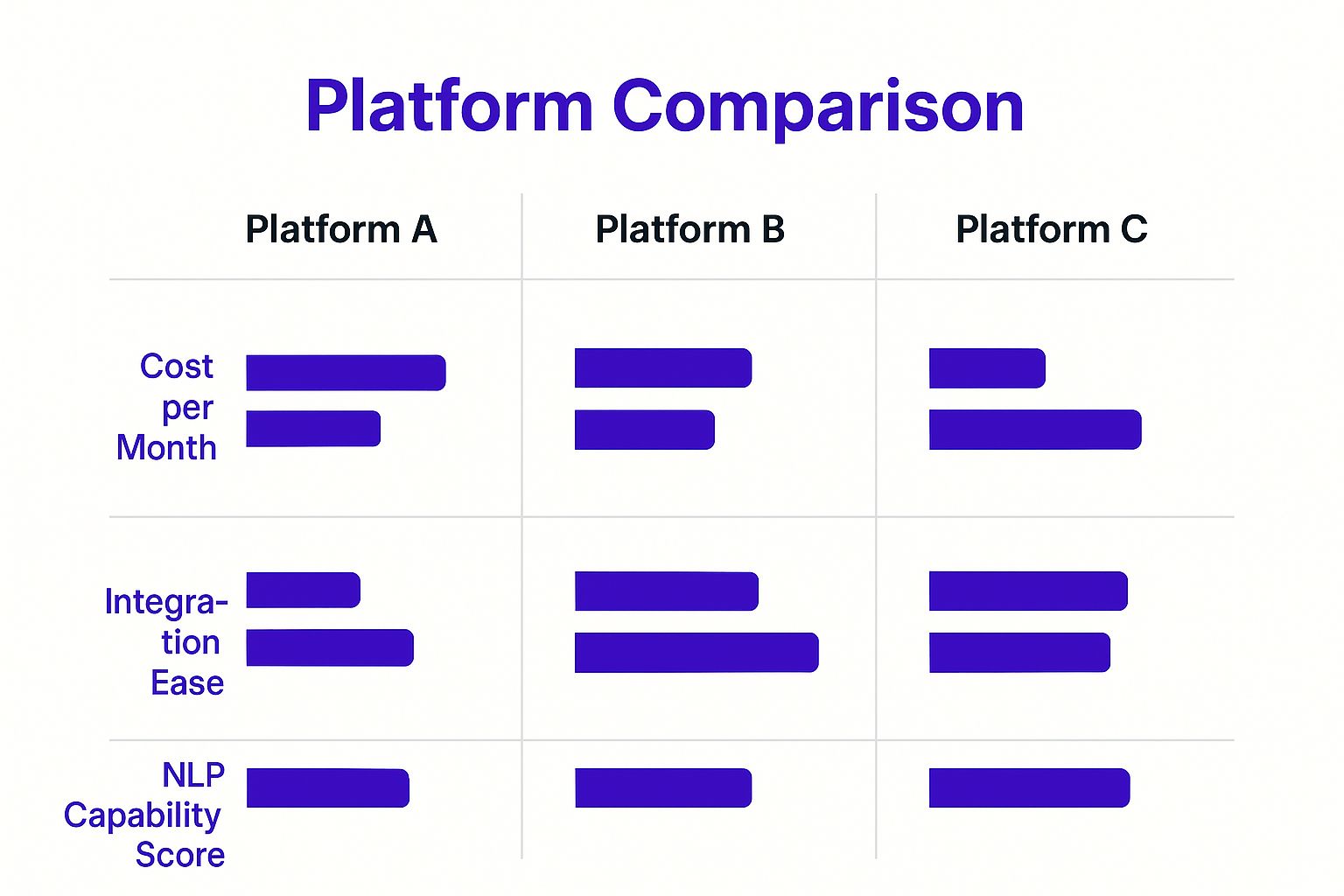
As you can see, there's often a trade-off. Some platforms prioritize simplicity while others offer more raw power at a higher cost or with a steeper learning curve.
Match the Platform to Your Business
Finally, look at the pricing and scalability with a critical eye. A solopreneur's budget and traffic are worlds away from a fast-growing online store's. Scrutinize the pricing tiers. Do they put a cap on how many bots you can have, the number of monthly chats, or the size of your knowledge base? You want a plan that fits you today but has a clear and reasonable upgrade path for tomorrow.
Taking the time to choose the right tool now will save you from the massive headache of a platform migration later. For a more detailed breakdown, our guide on the essential features in a no-code chatbot builder can give you an even clearer picture of what to look for.
Training Your Chatbot With Your Company Data
This is where the magic really happens. A chatbot is only ever as smart as the information you feed it. When you build your own, you're essentially creating a digital brain and filling it with your company's specific knowledge. The quality of its answers will be a direct reflection of the quality of the data you provide.
I like to think of it like training a new employee. You wouldn't just sit them at a desk on day one and expect them to know everything. You'd give them the company handbook, run through product specs, and walk them through your return policy. The process for training your AI is remarkably similar-just a whole lot faster.
Preparing Your Knowledge Base for Success
Before you upload a single file, take a moment to get your content in order. Trust me on this one. I’ve seen people dump their entire, chaotic Google Drive into a chatbot and then wonder why it gives confusing, unhelpful answers. A little bit of prep work upfront goes a very long way.
Start by gathering all the documents that hold the answers to questions your customers ask most often. Good candidates include:
- Frequently Asked Questions (FAQs): This is the low-hanging fruit and the perfect place to start.
- Product or Service Descriptions: Detailed specs, feature lists, and pricing sheets are absolutely crucial.
- Support Articles & How-To Guides: Any step-by-step instructions you’ve already created are goldmines of information.
- Policy Documents: Think shipping info, return policies, and your terms of service.
The real key is organizing this content into clear, distinct topics. If your return policy is buried on page 37 of a 50-page "General Company Info" PDF, the bot might struggle to find it quickly. It's so much better to have a separate, dedicated document just for that policy.
You can see in this screenshot from a platform like Whisperchat.ai just how straightforward the interface is. You can upload various file types or even have it crawl a website URL directly.

Uploading the data is often as simple as dragging and dropping files. That's the easy part. The real work is in curating what you upload.
A Real-World E-commerce Example
Let’s make this more tangible. Imagine you run an online store that sells custom-printed t-shirts. Your customers are constantly asking the same things: "How long does shipping take?", "What's your return policy for a custom item?", and "What are the washing instructions?"
Instead of uploading a jumbled mess of files, you would prepare 3 clean, focused documents:
- ShippingInformation.pdf: This document would clearly state shipping times for domestic and international orders, list your carrier options, and explain how tracking works.
- ReturnPolicy.docx: This file would explicitly state that custom items are non-refundable but explain the process for reprints if there's a quality issue.
- CareInstructions.txt: Just a simple text file detailing the best way to wash the shirts to prevent the print from fading.
By separating your knowledge into these logical chunks, you're not just uploading data; you're building a structured library for your AI. This drastically improves the accuracy and speed of its responses because it knows exactly where to look for specific answers.
Now, when a customer asks, "Can I return my shirt?", the bot immediately references the ReturnPolicy.docx and gives a precise, correct answer. This targeted approach is what creates a genuinely helpful chatbot that customers will trust. It’s the difference between a bot that says, "I'm not sure," and one that confidently solves a customer's problem on the spot.
Giving Your Chatbot a Personality
Once you’ve fed your chatbot the right information, it's time for the fun part: giving it a personality. This is where you elevate it from a simple Q&A tool to a genuine extension of your brand. When you build your own chatbot, you get to decide exactly how it looks, sounds, and feels. This control is a massive advantage for building customer trust.
Think about your brand's voice. Are you serious and professional? Or are you more playful and witty? Your chatbot has to mirror that tone. For instance, a chatbot for a law firm should sound reassuring and knowledgeable, while one for a gaming company can probably get away with using emojis and a much more casual style. Consistency here is everything.
Defining Your Bot’s Voice and Persona
Most no-code builders, like Whisperchat.ai, give you a space for a "base prompt" or "system instructions." This is your control panel for the bot's personality. You can literally tell it who to be.
Here are a few real-world examples of instructions you could use:
- "You are a friendly and helpful support assistant. Always be polite and empathetic."
- "You are an expert product specialist. Your tone is professional and direct. Do not use slang or emojis."
- "You are a quirky and fun brand advocate. Your goal is to make the customer smile while helping them."
This single step makes a huge difference in the user experience. It ensures every chat reinforces your brand identity, making the bot feel less like a robot and more like a member of your team.
A chatbot with a well-defined personality can seriously boost user engagement. The conversation shifts from a sterile, robotic exchange to a memorable brand experience, and that makes customers want to come back.
Effectively customizing your chatbot's brand personality relies heavily on strong personalization in digital marketing strategies, which help create a truly unique user journey.
Matching Your Website's Look and Feel
Beyond how it talks, you need to think about how your chatbot looks. It should blend in seamlessly with your website, not stick out like a sore thumb. A well-integrated design builds immediate credibility and helps users feel more comfortable.
Look for platforms that give you control over the visuals. You'll want to be able to:
- Change widget colors to match your website's exact color scheme.
- Upload your company logo to sit in the chat header.
- Choose a custom avatar for the bot to give it a face.
These visual tweaks aren't just for show. They create a unified experience that signals to your visitors, "You're in the right place, and this is an official tool." Getting these small details right is what separates a clunky add-on from a successful, integrated business asset.
Getting Your Chatbot Live On Your Website

Alright, you've done the hard work. You’ve built a smart, on-brand chatbot that’s ready to field questions and help your customers. Now for the fun part: getting it live on your website so people can actually find it.
A brilliant chatbot that nobody can see is just a missed opportunity. Luckily, deploying it is surprisingly straightforward, and you don't need to be a developer to do it.
The whole process hinges on a simple embeddable code snippet. Think of it as a small piece of text that tells your website, "Hey, put the chat widget right here." Tools like Whisperchat.ai create this snippet for you automatically. All you have to do is copy it and paste it into the right spot.
Finding the Right Place for Your Code
So, where does this code go? Most website builders and e-commerce platforms have a specific area for adding custom code like this. You’ll usually find it in your site’s general settings or theme customization options. The trick is to place the snippet somewhere that affects every page on your site, which is almost always the header or footer section.
Here’s a quick rundown of where to look on popular platforms:
- WordPress: Go to Appearance > Theme File Editor. You'll want to find either the
header.phporfooter.phpfile. The best practice is to paste the code right before the closing</head>or</body>tag. Even better, many modern themes have a dedicated "Custom Scripts" or "Header/Footer Code" area in the theme options, which makes this a simple copy-paste job. - Shopify: From your dashboard, head to Online Store > Themes. Then click Actions > Edit code. In the Layout folder on the left, open the
theme.liquidfile. Scroll all the way to the bottom and paste your snippet just before the closing</body>tag. - Wix or Squarespace: These platforms are built for this. Look for a section in your settings called "Custom Code," "Code Injection," or "Advanced Settings." Inside, you'll find fields to paste code into the site-wide header or footer.
Don't let the phrase "editing code" scare you. You aren't actually writing or changing anything. You're just pasting a block of text into a specific text box. Once you hit save, the chatbot widget should pop up on your site almost instantly.
Going Beyond Your Website
To really get the most out of your new assistant, you should meet your customers where they are. Modern chatbot builders often let you connect the very same bot to other channels, like Facebook Messenger or WhatsApp.
This creates a seamless experience. A customer could start a chat on your website, then get a follow-up message or continue the conversation on their phone through Messenger. This kind of multi-channel presence makes your support feel incredibly accessible and is a core part of the strategy when you build your own chatbot from the ground up.
If you run into any trouble, the fix is usually simple. First, double-check that you copied the entire code snippet without any extra spaces or missing characters. It has to be exact. After that, clear your website’s cache and your browser's cache. Sometimes an old version of your site gets stuck, and a quick clear is all it takes for your new chatbot to appear.
Tuning Your Chatbot for Peak Performance
Alright, so your chatbot is live. That’s a fantastic start, but the real work-and the real payoff-begins now. Think of your chatbot less like a finished product and more like a new team member that needs ongoing training to get better at its job. The key to this is diving into the data.
Your first stop should be the analytics dashboard inside your chatbot platform. This is your mission control. It's where you go beyond the initial setup and start to see how your bot is actually performing with real users. This data tells a story-what’s resonating, what’s falling flat, and where you can make some powerful improvements.
What to Watch: The Metrics That Matter
To avoid getting lost in a sea of numbers, I always focus on a few core metrics that give a clear, immediate picture of the chatbot's health. These are the vital signs of user experience.
- Resolution Rate: What percentage of chats does the bot handle completely on its own, without a human stepping in? A high resolution rate is a great sign that your knowledge base is hitting the mark.
- User Satisfaction (CSAT): Most tools let users give a quick thumbs-up or thumbs-down. This is pure gold. It’s direct, unfiltered feedback on whether users are getting what they need.
- Common Unanswered Questions: This report is my personal favorite. It’s a literal to-do list, handed to you by your users, showing you exactly where the gaps in your bot's knowledge are.
Paying attention to these numbers is more than just good practice; it's a strategic move. Industry forecasts show AI chatbots are on track to handle up to 90% of customer inquiries by 2025. When set up right, they can already resolve 79% of common questions, which translates into an average savings of 30% on support costs for many businesses.
Creating a Simple, Powerful Improvement Cycle
Once you have this data, you can build a straightforward feedback loop that continuously makes your bot smarter. It's a simple rhythm: review, identify, and update.
Your chatbot's "unanswered questions" list isn't a failure report. It's a roadmap for improvement, written by your customers. Every question is a direct request for information they couldn't find.
When you spot a question popping up over and over again, the solution is usually simple. You just add the answer to your knowledge base, either by creating a new document or updating an existing one.
I recommend setting aside a little time each week to do this. By consistently addressing these unanswered questions, you'll systematically patch the holes in your bot's knowledge. This directly boosts your resolution rate and, more importantly, makes for a much smoother and more helpful user experience. For a closer look at this process, check out our guide on how to interpret your chatbot analytics. This simple routine is what turns a static chatbot into a dynamic, learning asset for your business.
Alright, let's get into some of the real-world questions that pop up the moment you decide to build your own chatbot. Getting these sorted out early on will give you the confidence to dive in, knowing you've got the common hurdles covered.
A big one I hear all the time is: what happens when someone asks a question the bot just can't answer? It’s a great question because it's going to happen.
The trick is to plan for a graceful "I'm not sure" moment. You never want to leave a user hanging. Instead of a blunt "I don't know," program your bot to offer a helpful next step. It could be something like, "That's a bit outside my expertise, but I can connect you with a human who can help," and then offer a live chat transfer or a contact form. This way, the conversation continues, and the user still feels supported.
How Much Does Building a Chatbot Actually Cost?
This is where no-code tools really shine. The cost to get a chatbot up and running has dropped dramatically. With a platform like Whisperchat.ai, you can often find starter plans for as little as $19/month.
That kind of price point usually gets you a solid number of monthly conversations, making it a no-brainer even for a small business or a solo entrepreneur. As your site gets more visitors and the chatbot gets more use, you can simply move up to a plan with more capacity. The beauty of it is you're avoiding the six-figure price tag that comes with custom development.
A crucial point, especially if you're uploading sensitive company documents, is data privacy. People worry that their data will be used to train some massive public AI. Reputable platforms are built specifically so your knowledge base is completely private. It's only used to power your chatbot, and it never gets fed back into the public models.
Ready to see just how simple it is to get an intelligent assistant working for your business? You can start building with Whisperchat.ai today and have your first AI chatbot live in just a few minutes. Build your own chatbot for free.