
Top No Code Chatbot Builder of 2025 | Create AI Chatbots Easily
Discover the best no code chatbot builder of 2025. Build smart AI chatbots without coding. Compare top platforms and boost your customer service!
Elevate Your Customer Service with AI Chatbots-No Coding Required
Need to provide instant customer support, generate leads, or streamline workflows without coding? This listicle presents the top 8 no-code chatbot builders for 2025. Discover how these powerful tools can automate your customer service and improve user experience. Whether you're a small business owner, an e-commerce operator, a SaaS product team, a digital marketer, or a web developer, you'll find a no-code chatbot builder to fit your needs. We'll cover Whisperchat.ai, Chatfuel, ManyChat, Tars, Landbot, Botsify, Tidio, and Voiceflow. Find the perfect solution to save time and resources, and elevate your customer interactions now.
1. Whisperchat.ai
Whisperchat.ai emerges as a leading contender in the realm of no-code chatbot builders, offering a potent blend of AI-driven capabilities and user-friendly design. This platform empowers businesses, regardless of their size, to seamlessly deploy sophisticated, GPT-powered chatbots trained on their specific data. By simply uploading relevant documents like PDFs, Word files, or providing website URLs, Whisperchat.ai constructs custom ChatGPT models capable of delivering instant and accurate responses to customer inquiries about products, services, and company documentation. This streamlines customer interactions and ensures a consistent experience, contributing significantly to enhanced customer satisfaction and operational efficiency. The platform's focus on ease of use, coupled with its powerful AI capabilities, makes it an ideal solution for businesses seeking to elevate their customer support and engagement strategies.
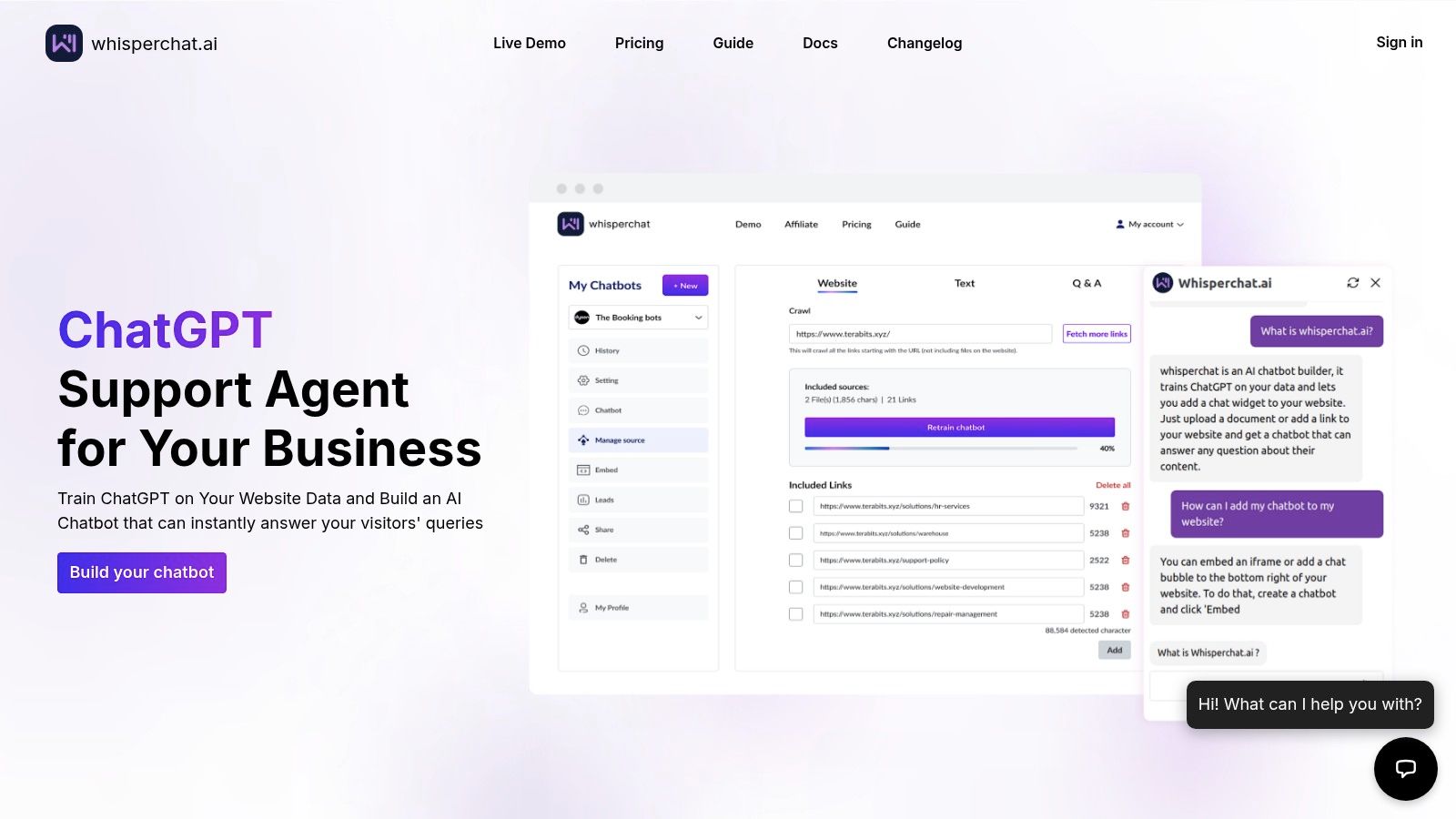
One of Whisperchat.ai's key strengths lies in its adaptability. The platform caters to a diverse range of data sources, supporting PDFs, DOCX, TXT files, and even website URLs for training its AI models. This flexibility allows businesses to leverage their existing knowledge base without complex data migration processes. Furthermore, the platform ensures continuous automatic updates, keeping the chatbot's information current and accurate. This dynamic learning capability eliminates the need for manual intervention, freeing up valuable time and resources for businesses to focus on other core operations. Seamless integration options, including a floating chat widget or iframe, enable businesses to effortlessly incorporate the chatbot into their existing website infrastructure. This contributes to a cohesive and brand-consistent online experience, ensuring a smooth transition for website visitors interacting with the AI-powered assistant. The platform also boasts multilingual support covering over 100 languages, catering to a global audience and expanding market reach for businesses operating in diverse linguistic landscapes.
For businesses seeking deeper integrations, Whisperchat.ai provides native integration with Odoo CRM and offers flexible webhook/API connections for lead capture and workflow automation. This allows businesses to transform customer interactions into actionable sales leads, optimizing lead generation and streamlining sales processes. According to user reports, integrating Whisperchat.ai can lead to a significant reduction in support ticket volume-by up to 70%-freeing up human agents to handle more complex issues and strategic tasks. Beyond support ticket reduction, users also report a 15-30% increase in lead conversion, demonstrating the platform's potential for driving business growth and revenue generation. The automation capabilities also translate into major payroll savings, as businesses can optimize staffing requirements and allocate resources more efficiently. Learn more about Whisperchat.ai and its potential benefits for your business.
Whisperchat.ai offers flexible subscription plans starting at $19/month, making it accessible to a wide range of users, from solo entrepreneurs to large enterprises. Higher-tier plans unlock access to more advanced language models like GPT-4, enabling businesses to leverage cutting-edge AI technology for enhanced chatbot performance and more nuanced customer interactions. While these higher tiers may be an investment for very small businesses, the scalability of the platform ensures that it can grow alongside business needs.
While Whisperchat.ai shines in its ease of use and rapid deployment, some limitations exist. Advanced customization options, such as intricate chatbot logic or fine-tuned NLP adjustments, might be restricted due to the no-code nature of the platform. This might require businesses with highly specialized needs to consider alternatives that offer more granular control over the chatbot's behavior. However, for the vast majority of users, the intuitive interface and pre-built functionalities provide ample customization options for creating a highly effective and engaging chatbot experience.
In summary, Whisperchat.ai presents a compelling proposition for businesses seeking a no-code chatbot builder that delivers powerful AI capabilities without complex technical requirements. Its focus on data privacy, combined with its ease of use and demonstrable ROI through reduced support costs and increased lead conversion, makes it a strong choice for SaaS companies, e-commerce brands, agencies, and digital teams looking to leverage the power of AI for improved customer engagement and streamlined support workflows.
2. Chatfuel
Chatfuel is a prominent no-code chatbot builder celebrated for its ease of use and tight integration with Facebook Messenger and Instagram. It empowers businesses to build AI-powered chatbots without writing a single line of code, making it an attractive option for those seeking a quick and accessible entry point into chatbot development. This platform shines in its ability to automate various aspects of customer interaction and marketing, ranging from answering frequently asked questions to guiding users through a sales funnel. This makes it a powerful tool for small business owners, e-commerce operators, and digital marketing agencies looking to streamline their operations and enhance customer engagement.
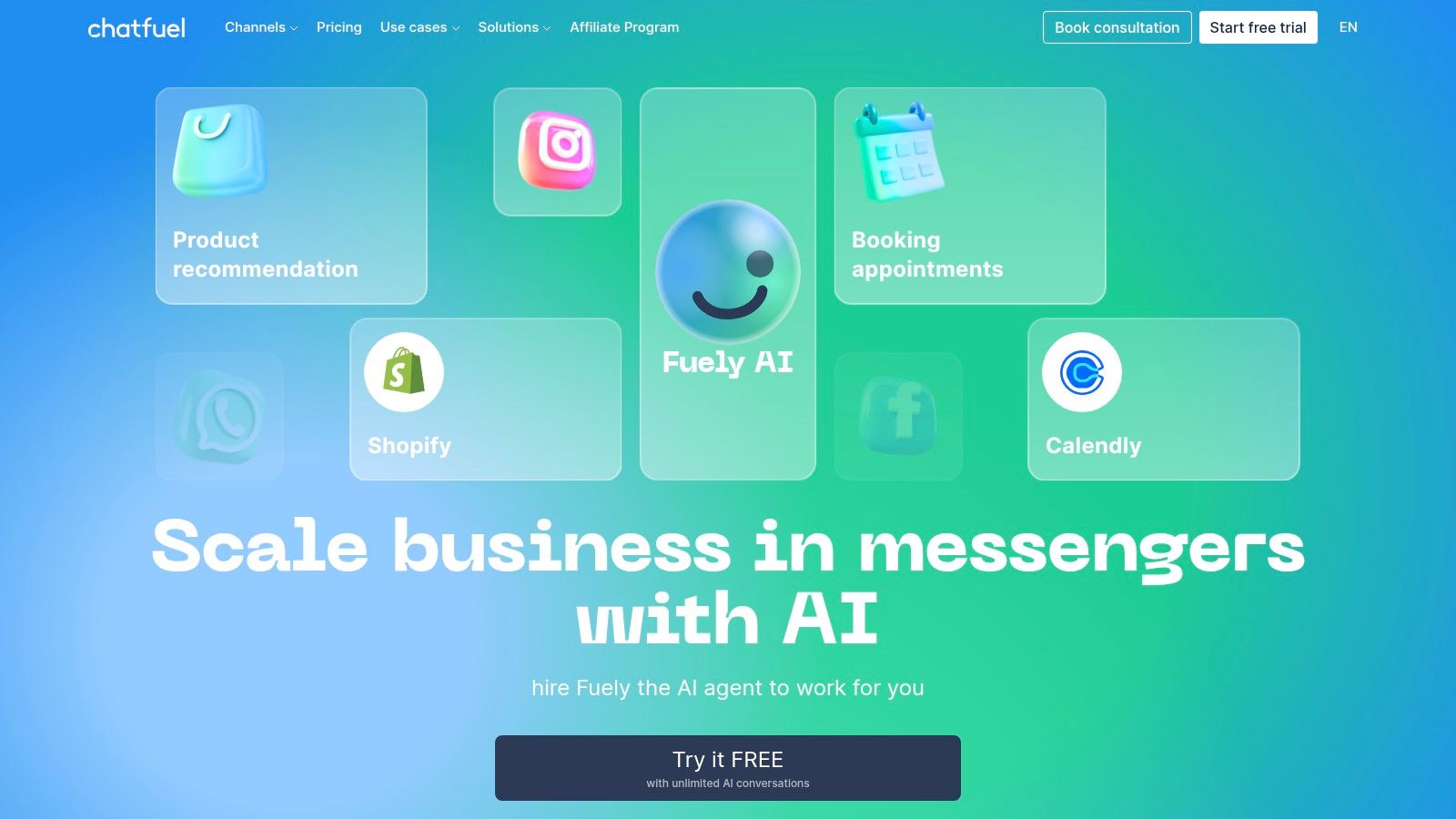
Chatfuel's visual, drag-and-drop interface is a key strength, simplifying the bot-building process significantly. The flow-based builder allows users to map out conversation flows intuitively, linking different blocks to create interactive and dynamic chatbot experiences. This visual approach eliminates the need for coding expertise, making it accessible even to beginners. For instance, an e-commerce store owner could easily create a chatbot that answers questions about shipping costs, provides order tracking information, and even offers personalized product recommendations based on past purchases.
One of Chatfuel's defining features is its robust AI-powered natural language processing (NLP) capabilities. This allows chatbots built on the platform to understand and respond to user queries in a more human-like manner, leading to a more engaging and natural conversational experience. Instead of relying on pre-defined keywords, the chatbot can interpret the intent behind user messages and provide relevant responses. This is particularly useful for handling customer support inquiries, where users may phrase their questions in various ways.
Beyond its core functionality, Chatfuel offers a range of advanced features to enhance chatbot performance. These include automated sequences, which allow businesses to send targeted messages to users based on specific triggers, and comprehensive analytics to track chatbot performance and identify areas for improvement. Integration with popular tools like Zapier, Google Sheets, and CRM systems further extends Chatfuel's capabilities, enabling seamless data flow and automation across different platforms. For example, a SaaS product team could integrate their chatbot with their CRM to automatically create new leads based on chatbot interactions.
While Chatfuel offers a compelling suite of features, it does have some limitations. Its primary focus on Facebook Messenger and Instagram restricts its usability for businesses operating on other platforms. While this focused approach allows for deep integration with these specific platforms, it might not be suitable for businesses seeking a more versatile solution that spans across multiple channels like WhatsApp, website chat, or SMS. Additionally, some of the more advanced features, like NLP and integrations, require a paid subscription. While free plans are available, they come with limitations, and the cost can escalate with increased usage, making it potentially expensive for businesses with high message volumes. Finally, the customization options for complex workflows can be somewhat limited, potentially posing challenges for businesses with highly specific requirements.
Chatfuel offers various pricing plans, including a free plan with limitations on the number of bots and users. Paid plans unlock additional features and higher usage limits. The Pro plan starts at $14.99 per month and offers features like removing the Chatfuel branding, increased user limits, and access to priority support. For larger businesses with high-volume requirements, there are also premium plans with custom pricing. Before committing to a paid plan, it's recommended to thoroughly evaluate your needs and choose the plan that best aligns with your budget and expected usage.
Setting up a chatbot on Chatfuel is generally straightforward. The platform provides extensive documentation and tutorials to guide users through the process. The intuitive visual interface makes it easy to build basic chatbots quickly, but mastering the advanced features and crafting complex conversational flows might require some time and experimentation. Fortunately, Chatfuel's active community and support resources can provide valuable assistance during the setup and implementation process. For those looking to expand their chatbot's capabilities beyond the basic functionalities, exploring the available integrations and experimenting with the NLP features is highly recommended.
In summary, Chatfuel offers a user-friendly and powerful platform for building no-code chatbots specifically for Facebook Messenger and Instagram. Its intuitive interface, robust AI capabilities, and comprehensive analytics make it an attractive option for businesses looking to automate customer support, enhance marketing campaigns, and improve overall customer engagement. However, businesses should consider the platform's limitations regarding platform support, pricing, and customization options before committing to a long-term solution. For businesses heavily reliant on Facebook and Instagram, Chatfuel provides a compelling entry point into the world of chatbot development without the complexities of traditional coding. It deserves its place on this list for its ease of use, strong platform integration, and the potential to significantly streamline business operations. You can explore Chatfuel and its offerings further on their website: https://chatfuel.com.
3. ManyChat
ManyChat is a prominent no-code chatbot builder specializing in social media messaging and marketing automation. It empowers businesses to engage customers, automate interactions, and drive sales through conversational experiences across various channels like Facebook Messenger, Instagram, SMS, and email. This makes it a particularly strong choice for businesses heavily reliant on social media for customer interaction and sales. Its intuitive visual flow builder and pre-built templates allow even non-technical users to quickly design and deploy sophisticated chatbot sequences. With both free and paid options, ManyChat offers a scalable solution for businesses of all sizes looking to enhance their online presence and streamline communication. This platform deserves a spot on this list due to its robust multi-channel capabilities, strong e-commerce integrations, and user-friendly interface.
Features and Use Cases:
ManyChat's strength lies in its multi-channel approach. You can create a single chatbot flow and deploy it across Messenger, Instagram, SMS, and email, ensuring consistent messaging and a unified customer experience. This is invaluable for businesses operating across multiple platforms.
- E-commerce Integration: ManyChat seamlessly integrates with popular platforms like Shopify and WooCommerce. This allows for automated order confirmations, shipping updates, and abandoned cart recovery sequences, directly within the customer's preferred messaging app. Imagine a customer adding items to their cart but not completing the purchase. ManyChat can automatically send a reminder and even offer a discount, significantly increasing conversion rates.
- Marketing Automation: Build interactive marketing campaigns with automated sequences triggered by specific user actions or events. This allows for personalized messaging and targeted offers, driving customer engagement and sales. For example, you can segment your audience based on past purchases and tailor product recommendations accordingly.
- Lead Generation: Capture leads through interactive quizzes, surveys, and opt-in forms within your chatbot flows. Qualify leads based on their responses and automatically segment them for future targeted campaigns. This streamlines the lead generation process and improves efficiency.
- Customer Support: While primarily focused on marketing, ManyChat can also handle basic customer support queries through automated responses and FAQs. The live chat handover feature allows seamless transition to a human agent for more complex issues.
Pricing and Technical Requirements:
ManyChat offers a free plan with a generous set of features, suitable for small businesses getting started with chatbot marketing. Paid plans unlock additional features like increased subscriber limits, advanced automation tools, and SMS marketing capabilities. The pricing scales based on the number of subscribers, making it accessible for businesses of all sizes. No specific technical skills are required to use ManyChat. The platform is designed to be user-friendly, with a drag-and-drop interface for building chatbot flows.
Comparison with Similar Tools:
Compared to other no-code chatbot builders, ManyChat stands out with its strong focus on multi-channel marketing automation and e-commerce integrations. Tools like Chatfuel also specialize in Messenger marketing, but ManyChat's broader channel support and advanced features give it an edge. Platforms like Intercom and Drift are more geared towards website chat and customer support, while ManyChat excels in social media marketing and sales automation.
Implementation and Setup Tips:
- Start with a clear goal: Define what you want to achieve with your chatbot. Whether it’s lead generation, sales, or customer support, having a clear objective will guide your chatbot design.
- Plan your chatbot flow: Map out the conversation flow before building it in ManyChat. This will help you create a seamless and engaging user experience.
- Utilize pre-built templates: Leverage ManyChat’s library of pre-built templates to get started quickly. Customize them to match your brand and specific needs.
- Test thoroughly: Before launching your chatbot, test it thoroughly to ensure it functions as expected and provides a positive user experience.
- Monitor and optimize: Track your chatbot’s performance and make adjustments as needed. Analyze user interactions and identify areas for improvement.
Pros and Cons:
- Pros: Excellent multi-channel marketing automation, strong e-commerce integration capabilities, generous free plan with substantial features, intuitive visual interface for campaign creation.
- Cons: Primarily focused on marketing rather than dedicated customer support, SMS features can be costly for large volumes, learning curve for advanced automation features, limited website integration compared to dedicated web chatbots.
Website: https://manychat.com
4. Tars
Tars is a robust no-code chatbot builder designed specifically for businesses aiming to enhance lead generation, streamline customer support, and boost conversion rates. Unlike some other no-code chatbot platforms that cater to a broader range of use cases, Tars focuses sharply on delivering tangible business results. It achieves this through features like conversational landing pages and advanced form-filling bots, enabling businesses to capture leads, qualify prospects, and gather valuable customer data more effectively. This platform is particularly well-suited for small business owners, e-commerce operators, SaaS product teams, digital marketing agencies, and web developers looking for a powerful yet easy-to-implement chatbot solution without writing a single line of code.
Tars differentiates itself with its conversational landing pages, a unique approach that transforms traditional static landing pages into interactive experiences. These conversational landing pages guide users through a series of questions, qualifying leads and segmenting them based on their responses. This interactive approach significantly improves user engagement and allows businesses to collect more relevant data compared to standard forms. For instance, an e-commerce store could use Tars to create a chatbot that asks visitors about their product preferences and then recommends personalized product suggestions, leading to a more tailored shopping experience and increased sales.
Beyond conversational landing pages, Tars offers a range of other powerful features. Its multi-platform deployment capability allows businesses to deploy their chatbots on their website, WhatsApp, and Facebook Messenger, reaching customers where they are most active. The advanced form-filling capabilities automate data collection, freeing up valuable time for sales and marketing teams. Tars also integrates seamlessly with popular CRM systems and marketing tools, ensuring smooth data flow and streamlined workflows. For agencies managing multiple clients, Tars offers white-label solutions, allowing them to brand the platform as their own.
One of Tars’s strengths lies in its focus on business ROI and performance metrics. The platform provides detailed analytics and reporting, allowing businesses to track key metrics like lead generation, conversion rates, and customer satisfaction. This data-driven approach allows for continuous optimization and refinement of chatbot strategies. Imagine a SaaS product team using Tars to guide users through their onboarding process. By tracking chatbot interactions and user feedback, the team can identify pain points and improve the onboarding experience, leading to higher user retention.
While Tars offers a powerful suite of features, it’s important to consider its pricing structure. Compared to some other no-code chatbot builders, Tars is positioned at a higher price point. The limited features available on the free plan may restrict its suitability for users with very basic chatbot needs. Furthermore, while its business-centric focus is a strength, it also means that Tars might be overly complex for individuals or organizations seeking simple, straightforward chatbot solutions. For example, if you only need a basic chatbot to answer FAQs on your website, a simpler and more affordable alternative might be sufficient.
Implementation Tips:
- Start with a clear objective: Define the specific goals you want to achieve with your chatbot, whether it’s lead generation, customer support, or something else. This will help you design a more effective chatbot flow.
- Leverage pre-built templates: Tars offers a library of professionally designed templates that can save you time and effort in building your chatbot.
- Test and iterate: Thoroughly test your chatbot before deploying it live. Continuously monitor its performance and make adjustments based on user feedback and analytics.
- Integrate with your existing tools: Connect Tars with your CRM, marketing automation platform, and other business tools to maximize its impact.
Tars deserves its place on this list due to its robust features, strong focus on business outcomes, and advanced capabilities for lead generation and conversion optimization. While its higher pricing may be a consideration, the platform's powerful features and potential for ROI make it a valuable tool for businesses serious about leveraging conversational AI. You can explore their offerings further on their website: https://hellotars.com
5. Landbot
Landbot stands out as a versatile no-code chatbot builder empowering users to craft engaging conversational experiences across various platforms like websites, WhatsApp, and Facebook Messenger. Unlike some other no-code chatbot builders that prioritize simple, rule-based interactions, Landbot focuses on creating dynamic and human-like conversations that truly resonate with users. This focus on a natural conversational flow makes it a powerful tool for businesses looking to enhance customer engagement and streamline various processes, making it a top contender in the realm of no-code chatbot builders. This platform is particularly appealing for those seeking a visually driven, intuitive building experience without compromising on the depth of functionality.
One of Landbot's key strengths lies in its intuitive visual conversation builder. This drag-and-drop interface allows users to easily design complex conversational flows, complete with conditional logic and branching paths, without writing a single line of code. The real-time preview feature provides immediate feedback, ensuring the chatbot behaves exactly as intended. Whether you're a small business owner, an e-commerce operator, or part of a SaaS product team, this visual approach makes it significantly easier to prototype, test, and deploy sophisticated chatbots.
Landbot’s multi-platform deployment capabilities are a significant advantage for businesses aiming to connect with customers across different channels. Seamless integration with popular platforms like WhatsApp and Facebook Messenger, alongside website integration, allows for a unified and consistent brand experience. This feature is particularly useful for e-commerce businesses seeking to provide customer support or automate order updates through channels their customers already use. SaaS product teams can leverage Landbot to offer in-app assistance, guiding users through onboarding or troubleshooting issues directly within the product.
The platform's rich media support further enhances the user experience. Integrating images, videos, and carousels into the chatbot’s responses elevates engagement and creates a more visually appealing and dynamic interaction. For digital marketing agencies, this opens doors for interactive lead generation campaigns, capturing leads and qualifying them through engaging conversational experiences. Web developers can seamlessly integrate these visually rich chatbots into existing websites, enriching the user experience and providing interactive self-service options.
Landbot offers a tiered pricing structure to cater to different needs and budgets. Specific pricing details are available on their website, but generally, the higher tiers unlock more advanced features and higher usage limits. Small businesses with basic needs can find an entry point, while larger enterprises can access the full suite of tools for more complex implementations.
While Landbot excels in user experience and visual building, there are a few considerations. Its AI and natural language processing (NLP) capabilities, while present, are not as advanced as some competitors focusing solely on AI-driven chatbots. This means that while you can create complex logic flows, the chatbot's ability to understand free-form text and respond accordingly may be somewhat limited. Additionally, while the basic features are easy to grasp, mastering the advanced features, like integrations with third-party tools via webhooks and APIs, may involve a learning curve. Some of these integrations are also reserved for higher-tier plans, which might be a constraint for smaller businesses on a tight budget.
For those seeking to implement Landbot, the process is generally straightforward. The platform offers extensive documentation and tutorials, guiding users through the setup process. Start by defining your chatbot's purpose and outlining the key conversational flows. Utilize the visual builder to drag and drop elements, define logic, and craft engaging responses. Leverage the rich media options and integrations to create a dynamic and interactive experience. Thoroughly test the chatbot throughout the development process using the real-time preview feature. Finally, deploy the chatbot to your chosen platforms and monitor its performance to identify areas for improvement.
Compared to other no-code chatbot builders, Landbot offers a strong balance of user-friendliness and functionality. Platforms like Chatfuel specialize in specific channels like Telegram and Instagram, while others like ManyChat offer more advanced marketing automation features. Landbot’s strength resides in its visual builder, making it incredibly accessible while still offering the depth required for sophisticated conversational flows. This makes Landbot an ideal choice for businesses looking to create engaging and visually appealing chatbots without needing extensive coding knowledge. You can explore Landbot and its capabilities further at https://landbot.io.
6. Botsify
Botsify is a robust no-code chatbot builder designed to empower businesses of all sizes to automate various aspects of their operations, from customer support and lead generation to sales processes. Its comprehensive platform supports multiple channels, making it a versatile solution for reaching customers wherever they are. Whether you're a small business owner looking to streamline customer interactions or an e-commerce store operator aiming to enhance the shopper experience, Botsify offers a range of tools to help you achieve your goals. Its multi-platform capabilities, combined with a user-friendly interface, make it a compelling choice for those seeking a no-code chatbot solution. This platform deserves its place on this list due to its wide-ranging integrations, competitive pricing, and focus on delivering tangible business results.
One of Botsify’s key strengths lies in its extensive multi-channel support. It integrates seamlessly with over 10 platforms, including website chat widgets, Facebook Messenger, Telegram, WhatsApp, and Slack. This allows businesses to create a unified chatbot experience across all their communication channels, ensuring consistent customer interactions and maximizing reach. For example, an e-commerce store can use Botsify to answer frequently asked questions about shipping and returns on their website, while simultaneously using it to handle order inquiries and provide personalized product recommendations via Facebook Messenger. This omnichannel approach streamlines customer communication and improves customer satisfaction.
Botsify offers both template-based bot creation and advanced customization options. The platform provides pre-built templates for common use cases like lead generation, appointment scheduling, and customer feedback collection. These templates can be quickly deployed and customized to match your brand's specific needs. For more complex scenarios, Botsify allows users to build custom conversation flows using a drag-and-drop interface, integrating AI-powered natural language processing (NLP) to create more intelligent and engaging chatbot interactions. However, while Botsify offers NLP capabilities, it's worth noting that these might not be as sophisticated as those found in specialized AI platforms.
A particularly useful feature for businesses dealing with complex customer inquiries is Botsify's live chat integration. This feature allows for seamless handover from chatbot to human agent when necessary, ensuring that customers receive the personalized attention they need. For instance, a SaaS product team can use Botsify to provide initial technical support, automatically escalating complex issues to a human agent via live chat. This ensures a smooth and efficient support process, minimizing customer frustration.
From a pricing perspective, Botsify offers various plans catering to different business needs and budgets. The platform’s competitive pricing, combined with its extensive feature availability, makes it an attractive option compared to some competitors. Technical requirements are minimal, as the platform is entirely no-code based, allowing even non-technical users to create and deploy chatbots. However, be aware that some advanced features, like API integrations and webhook utilization, may require some technical knowledge for full implementation.
Implementation and Setup Tips:
- Start with a clear objective: Define the specific goals you want to achieve with your chatbot, whether it's lead generation, customer support automation, or something else.
- Leverage pre-built templates: Explore Botsify's template library to accelerate the setup process and customize them to align with your branding and specific use case.
- Test and refine: Thoroughly test your chatbot across all intended platforms to ensure seamless functionality and a positive user experience.
- Monitor analytics: Utilize Botsify’s analytics dashboard to track key metrics like conversation completion rates, customer satisfaction scores, and areas for improvement.
Pros:
- Extensive multi-platform support.
- Competitive pricing with good feature availability.
- Strong customer support and documentation.
- Flexible deployment options.
Cons:
- Interface can feel outdated compared to newer platforms.
- AI capabilities may not be as advanced as specialized AI platforms.
- Some advanced features require technical knowledge.
- Limited template variety compared to competitors.
Website: https://botsify.com
Botsify offers a powerful and accessible platform for building no-code chatbots across multiple channels. While the interface may not be as modern as some newer tools and the AI capabilities may have some limitations, its broad platform support, competitive pricing, and focus on practical business applications make it a worthy contender in the no-code chatbot builder landscape. For businesses seeking a versatile and relatively easy-to-use chatbot solution, Botsify is definitely worth considering.
7. Tidio
Tidio presents a compelling solution for businesses looking to enhance their customer service and streamline operations through a no-code chatbot builder. It distinguishes itself by seamlessly blending live chat, chatbots, and email marketing into a single platform, offering a unified approach to customer engagement. This integrated approach is particularly beneficial for small to medium-sized businesses that need a versatile tool without the complexities of managing multiple disparate systems. Tidio’s core strength lies in its ability to automate customer support tasks and qualify leads, freeing up human agents to handle more complex issues and higher-value interactions. It empowers businesses to provide instant, round-the-clock support, enhancing customer satisfaction and improving overall response times. This focus on customer support automation is a key reason Tidio earns a spot on our list of top no-code chatbot builders.
One of Tidio’s standout features is its user-friendly interface, specifically designed for non-technical users. Building chatbots requires no coding experience, thanks to its intuitive drag-and-drop builder and a library of pre-built templates. These templates cover common business scenarios, such as answering FAQs, collecting leads, and providing product information, enabling quick deployment and faster time to value. Furthermore, Tidio's visitor tracking and behavioral triggers allow businesses to personalize interactions based on user behavior, creating more targeted and effective automated responses. For businesses with a global presence, the platform's multi-language support is invaluable. Seamless integrations with popular e-commerce platforms like Shopify and CRM systems further enhance Tidio’s value proposition. It allows for streamlined data flow and more personalized customer interactions based on purchase history and other relevant data points.
Tidio offers a free plan that provides access to essential chatbot features, making it a cost-effective option for small businesses or those just getting started with chatbots. Paid plans unlock additional features such as more chatbots, increased API calls, and access to advanced analytics. While the free plan is generous, pricing can escalate quickly as your team grows and your usage increases. This scalability in pricing is a factor businesses should consider when evaluating Tidio for long-term use.
While Tidio excels in its user-friendliness and integration of live chat and chatbots, it's important to be aware of its limitations. Compared to more specialized chatbot platforms, its AI capabilities are somewhat basic. For complex conversational flows and sophisticated AI-driven interactions, you might find Tidio's functionalities restrictive. Customization options for complex workflows are also limited, making it less suitable for businesses with highly specialized needs.
Implementation and Setup Tips:
- Start with a Template: Leverage Tidio's pre-built templates to quickly create a functional chatbot for common use cases. Customize these templates to match your specific brand voice and messaging.
- Integrate with Your Existing Systems: Connect Tidio to your CRM and e-commerce platforms to personalize interactions and automate data flow.
- Use Behavioral Triggers: Implement triggers based on user behavior, such as pages visited or time spent on site, to proactively engage visitors and offer tailored assistance.
- Test and Refine: Continuously test your chatbot’s performance and make adjustments based on user interactions and feedback. Analyze chatbot analytics to identify areas for improvement and optimize conversational flows.
Comparison with Similar Tools: While tools like Intercom and Drift offer more advanced AI and conversational capabilities, they often come with a higher price tag. Tidio occupies a sweet spot for businesses prioritizing ease of use and affordability, especially those with a strong focus on customer support. It’s a valuable tool for small business owners, e-commerce store operators, and SaaS product teams looking to improve customer engagement and streamline support operations without requiring extensive coding knowledge. The website, https://tidio.com, provides more detailed information about their plans and features.
8. Voiceflow
Voiceflow stands out as a robust no-code chatbot builder designed for collaborative teams and agencies seeking to create sophisticated conversational AI experiences. While it initially focused on voice assistants, Voiceflow has evolved into a comprehensive platform capable of building both voice apps and chatbots for various platforms. Its strength lies in its visual design canvas, collaborative features, and powerful prototyping tools, making it an ideal choice for professional development and complex chatbot projects. This no-code chatbot builder empowers businesses of all sizes to leverage the power of conversational AI without extensive coding knowledge.
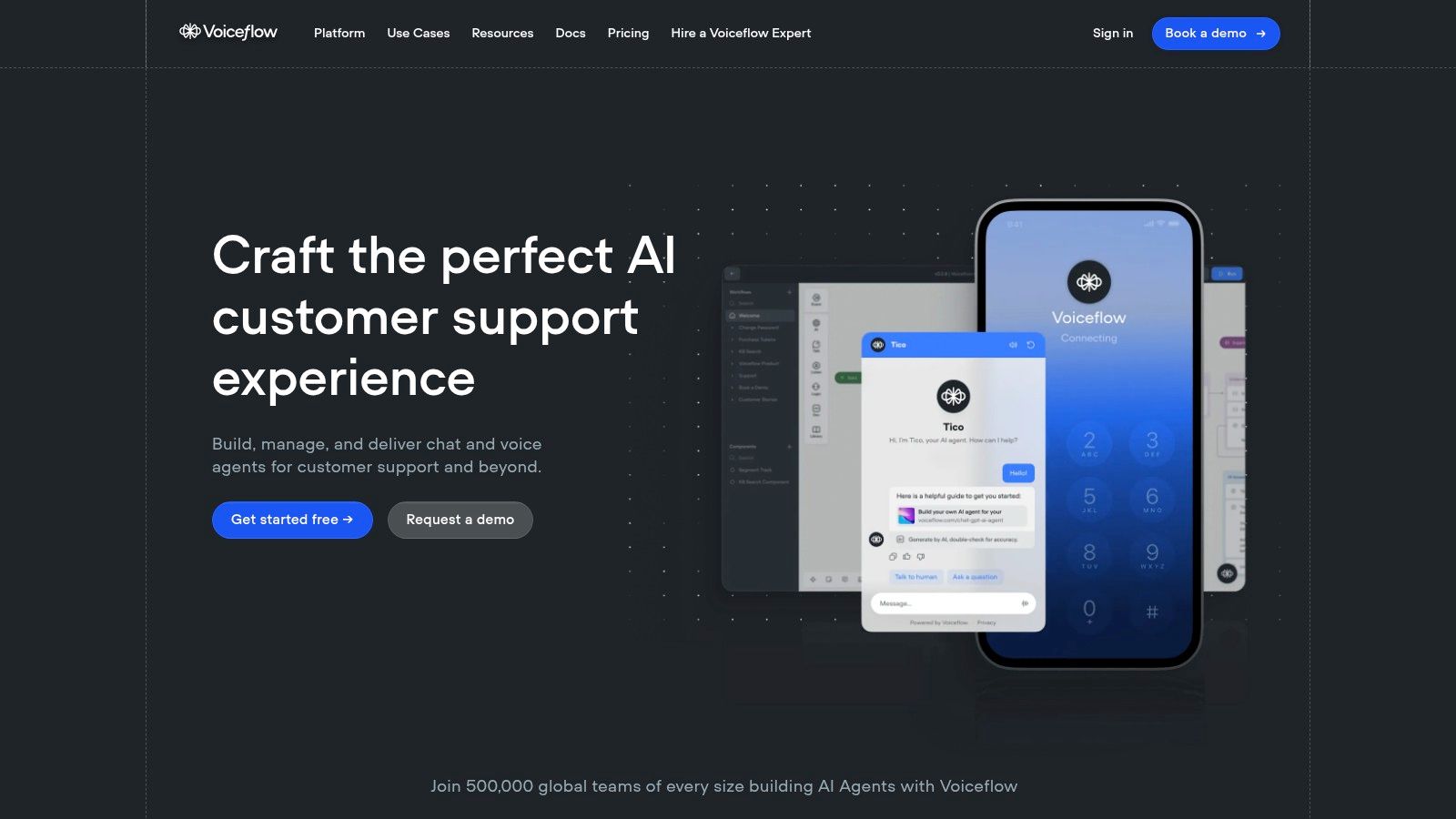
Consider a small business owner wanting to automate customer support. Using Voiceflow, they can visually design a chatbot that answers frequently asked questions, provides order updates, and even collects customer feedback. The intuitive drag-and-drop interface simplifies the process of building complex conversational flows, while the built-in testing tools allow for immediate feedback and refinement. This streamlined workflow eliminates the need for coding expertise, empowering the business owner to quickly deploy and manage their chatbot.
For e-commerce store operators, Voiceflow offers the ability to create engaging shopping assistants. These chatbots can guide customers through product selections, offer personalized recommendations, and even process transactions, enhancing the overall shopper experience. Imagine a customer looking for a specific type of shoe. The chatbot can ask clarifying questions about size, color, and style preferences, then present relevant products and deals, leading to increased sales and customer satisfaction.
SaaS product teams can leverage Voiceflow to build on-site AI assistance, guiding users through product features and troubleshooting common issues. The chatbot can act as an interactive tutorial, providing step-by-step instructions and context-sensitive help, improving user onboarding and reducing support tickets. This allows the product team to focus on development and innovation while ensuring a seamless user experience.
Digital marketing agencies can utilize Voiceflow for optimizing lead generation. They can design chatbots that qualify leads, schedule appointments, and provide personalized information about services. This automated approach streamlines the lead nurturing process, allowing agencies to focus on converting qualified leads into paying customers. For example, a chatbot could gather information about a potential client's marketing needs and budget before connecting them with the appropriate sales representative.
Even web developers seeking no-code chatbot integration can benefit from Voiceflow. Its robust API integrations enable seamless connection with existing systems and databases, expanding the chatbot's functionality. This allows developers to quickly add conversational interfaces to their web applications without writing complex code, saving time and resources.
Voiceflow offers different pricing plans, including a free starter plan, making it accessible for individuals and small businesses. Paid plans unlock advanced features like team collaboration, version control, and more integrations. Check their website (https://voiceflow.com) for the most up-to-date pricing information.
While Voiceflow is a powerful tool, it does have a steeper learning curve compared to simpler chatbot builders. It may be overkill for very basic chatbot needs, and mastering its advanced features requires a greater time investment. However, for those seeking a collaborative, professional-grade no-code chatbot builder with extensive capabilities, Voiceflow offers significant advantages.
To get started with Voiceflow, sign up for an account and explore their extensive library of templates and tutorials. Experiment with the visual canvas and testing tools to familiarize yourself with the platform. For more complex projects, consider leveraging their collaborative features and version control to streamline team workflows and ensure project consistency. Voiceflow's comprehensive documentation and active community forum offer further support and guidance. While the initial learning curve may be slightly steeper, the platform's power and flexibility make it a worthwhile investment for teams looking to build sophisticated conversational AI experiences.
No-Code Chatbot Builders Comparison
| Product | Core Features | User Experience | Value Proposition | Target Audience | Pricing (Starting) |
|---|---|---|---|---|---|
| Whisperchat.ai | No-code GPT chatbot, multi-data source ingestion, brandable widget, Odoo CRM integration, multilingual support (100+ languages) | Easy setup (<10 min), seamless branding, robust analytics | Up to 70% ticket reduction, 15-30% lead lift, strong data privacy | SaaS, e-commerce, agencies, digital teams | $19/mo (1 bot, 2,000 msgs) |
| Chatfuel | Visual drag-and-drop builder, NLP, Facebook & Instagram focus, analytics | User-friendly, strong social media integration | Automates support & marketing on social platforms | Social media marketers, SMBs on FB & IG | Free/$15+ per month (varies) |
| ManyChat | Multi-channel (Messenger, SMS, email), visual flows, e-commerce integrations | Intuitive interface, free tier with good features | Marketing automation, sales funnels, e-commerce growth | Marketers, e-commerce brands | Free/$15+ per month |
| Tars | Conversational landing pages, multi-platform (web, WhatsApp, FB), CRM integration | Professional templates, focused on lead gen & conversion | High ROI from leads, form-filling automation | Businesses focused on lead capture | Starts higher (~$49+/mo typical) |
| Landbot | Visual conversational builder, multi-platform, rich media, conditional logic | Intuitive design, interactive flows | Engaging user experience, strong visual builder | SMBs, agencies, marketers | Starts ~$30+/mo (varies) |
| Botsify | Multi-channel (10+ platforms), NLP, live chat handoff, API support | Flexible deployment, robust multi-platform use | Support automation & lead gen across channels | SMBs to enterprises needing multi-channel | Starts ~$50+/mo |
| Tidio | Live chat + bots combined, behavioral triggers, ecommerce & CRM integrations | User-friendly, good free tier, solid support focus | Instant support automation, lead qualification | Small businesses, support teams | Free/$39+ per month |
| Voiceflow | Visual design canvas, collaborative, voice + chat support, prototyping | Professional tools, collaborative workflow | Advanced design and testing for teams | Agencies, developers, advanced users | $40+/mo (professional tiers) |
Choosing the Right No-Code Chatbot Builder for Your Business
Finding the perfect no-code chatbot builder can feel overwhelming with so many options available. This article has explored eight leading platforms-Whisperchat.ai, Chatfuel, ManyChat, Tars, Landbot, Botsify, Tidio, and Voiceflow-each offering unique strengths and capabilities. Key takeaways include the importance of considering platform compatibility (e.g., website, social media), the depth of integration options with your existing CRM or marketing automation tools, the level of chatbot customization you require, and of course, pricing structures.
Whether you're a small business owner aiming to automate customer support, an e-commerce store operator seeking to improve shopper experience, a SaaS product team needing on-site AI assistance, a digital marketing agency optimizing lead generation, or a web developer desiring no-code chatbot integration, selecting the right no-code chatbot builder is crucial for success. Factors like the complexity of the conversational flows you envision, the need for advanced AI features like natural language processing (NLP), and the scalability of the platform should all play a role in your decision-making process.
Implementing a no-code chatbot builder doesn't have to be daunting. Start by clearly defining your objectives and then evaluate the tools based on how well they align with those objectives. By leveraging these powerful tools, you can free up valuable time and resources, enhance customer engagement, and ultimately drive business growth.
Looking for a powerful yet user-friendly no-code chatbot builder to get started? Explore Whisperchat.ai, a platform designed for seamless chatbot creation and integration. Visit Whisperchat.ai today and discover how easy it is to build and deploy your own AI-powered chatbot.