
Add Chatbot to Website: Boost Engagement Easily
Learn how to add chatbot to website with this quick guide. Discover steps to set up and optimize your AI chatbot for better user experience.
Thinking about adding a chatbot to your website? It's a smart move. In a world where everyone expects instant answers, a chatbot is no longer a "nice-to-have" gimmick. It’s a core part of providing great customer service and making sure you don't miss out on opportunities.
A chatbot gives your visitors the 24/7 support they've come to expect. This single tool can make your customers happier, capture leads while you sleep, and seriously cut down on operational costs by handling the simple, repetitive questions.
Why Your Website Needs a Chatbot Now
Let's be honest, customer expectations have changed. People want answers now. Making them wait for an email reply or for a support agent to log in the next morning is a recipe for a lost sale. A well-configured chatbot bridges that gap immediately.
This instant support is key to keeping people on your site. Picture this: a potential customer is on your pricing page, but they have one small question holding them back. Without a chatbot, they'll likely click away. With one, they get their answer and are one step closer to becoming a paying customer. It's a simple fix that can have a huge impact on your bounce rate.
The Clear Return on Investment
Beyond just keeping customers happy, the financial upside is undeniable. Think about how many times your team answers the same questions over and over-"What are your business hours?" or "What's your return policy?" A chatbot handles all of that, day in and day out, without getting tired.
This frees up your human experts to tackle the complex, high-value problems that actually need their brainpower. Your team becomes more efficient and engaged, and you'll see a real drop in support costs. The market growth tells the same story.
The global AI chatbot market was valued at $2.47 billion in 2021 and is expected to explode to $15.57 billion by 2025. Why? Because businesses have realized that chatbots can successfully handle up to 80% of routine customer questions without any human intervention. If you're curious, you can find more AI chatbot statistics that highlight this massive shift.
Before diving into the "how-to," it's helpful to see the advantages laid out clearly. Here’s a quick summary of what a chatbot brings to the table.
Key Benefits of Adding a Chatbot to Your Website
| Benefit | Impact on Business |
|---|---|
| 24/7 Availability | Capture leads and resolve customer issues around the clock, even outside of business hours. |
| Instant Responses | Meet customer expectations for immediate answers, improving satisfaction and reducing bounce rates. |
| Cost Reduction | Automate up to 80% of routine inquiries, freeing up human agents for more complex tasks. |
| Lead Generation | Proactively engage visitors, qualify leads with targeted questions, and schedule appointments automatically. |
| Improved Efficiency | Provide consistent, accurate answers every time, reducing human error and training overhead. |
As you can see, the benefits go far beyond just answering questions. A chatbot becomes an integral part of your sales, marketing, and support strategy.
A Powerful Lead Generation Tool
A chatbot is more than just a support tool-it’s a lead generation engine that never stops working. You can set it up to:
- Proactively pop up and engage visitors who are lingering on important pages (like pricing or features).
- Qualify prospects by asking a few smart, targeted questions.
- Capture their name, email, and other vital contact information.
- Schedule demos or appointments directly in the chat window.
It’s an active, not passive, tool for growing your business. Here’s what a standard chatbot interaction looks like from the user's perspective.

This example shows how a bot can smoothly guide a user through a conversation. By keeping the interface clean and the dialogue natural, you can create a positive experience that efficiently resolves questions and moves prospects forward.
How to Pick the Right Chatbot for Your Business

Before you jump in and add a chatbot to your website, it's important to realize they aren't all the same. I've seen it time and again: the perfect tool for a busy e-commerce store is often a terrible fit for a B2B service company. The secret is finding a chatbot whose strengths line up directly with what you’re trying to achieve.
Forget the generic "rule-based vs. AI" talk for a second. The questions that really matter are more practical. Can I get this thing live without calling in a developer? How much can I tweak the design to match my brand? Will it keep up as my business grows?
First, Nail Down Your Main Goal
Your very first move should be to get crystal clear on what you need this chatbot to do. Are you buried under a mountain of the same five support questions every day, or are you hoping to turn more of your website visitors into actual leads? This one decision will shape everything that follows.
Generating Leads: If growing your sales pipeline is the top priority, you need a bot that’s great at starting conversations. It should be able to ask smart, qualifying questions and make it easy for visitors to leave their contact info. For example, a bot on your pricing page could pop up with, "Any questions about our plans? I can clear things up and even book a demo for you."
Automating Customer Support: For support, it's all about knowledge. The chatbot has to pull accurate answers from the resources you already have, like your help center articles or FAQs. It’s no good if it just says "I don't know" all the time.
Driving Sales: For an online store, a chatbot becomes a virtual sales assistant. It can give product recommendations, check on stock levels, and help shoppers find the checkout button, giving your revenue a direct boost.
Once you know your primary goal, you can immediately start crossing options off your list. This kind of focus stops you from getting distracted by-and paying for-fancy features you'll never actually use.
Look at the Technical and Brand Fit
With your goal in mind, it's time to get practical. The most powerful chatbot in the world is completely useless if you can't make it look like part of your brand or connect it to your current workflow.
I always tell people that a chatbot should feel like it belongs on your site, not like some clunky, third-party plugin. Make sure any tool you consider lets you customize colors, upload your logo, and write your own welcome messages. That brand consistency is more important than you think.
Easy setup is another must-have. I'm a huge fan of no-code platforms like Whisperchat.ai because they're built for people who aren't developers. You should be able to train the bot yourself using your own content-like a PDF of a brochure or just by giving it a link to your website-and then get it live by pasting a simple bit of code. That kind of control saves a ton of time and money.
Finally, think about the future. Your traffic might be small today, but what about next year? You need a tool that can handle more conversations as you grow without crashing or slowing down. Check that the provider has plans that can scale with you, so you aren't forced to switch everything over just when things are starting to take off.
How to Set Up Your Whisperchat AI
Alright, let's get down to brass tacks. It's one thing to talk about what a chatbot can do, but it's another to actually get it live on your site. I'll walk you through setting up your Whisperchat.ai bot, not just as a technical exercise, but as a way to build a genuine expert on your business. The good news? This whole process is designed to be quick and surprisingly intuitive.
You'll start by creating an account, which is the easy part. The real work-and where the value comes in-is in training your AI. This is what transforms a generic bot into a powerful, helpful assistant for your customers.
Building Your Chatbot's Brain
The "brain" of your chatbot is only as smart as the information you give it. What I love about Whisperchat.ai is that you don't have to sit there creating endless lists of questions and answers. Instead, you just feed it the content you already have.
Think about all the documents and pages that already explain what you do. We're talking about:
- Website Pages: Just give it your sitemap or a few key URLs. The AI will crawl them and learn everything on those pages.
- Help Articles: Have a knowledge base or FAQ section? Perfect. Upload those articles, and your bot can handle common support questions right away.
- Business Documents: You can also upload PDFs of product brochures, company policies, or detailed service descriptions.
By doing this, you're building a solid knowledge base for the bot. It's not just keyword matching; it's learning the context so it can provide genuinely accurate answers. If you want to get into the nitty-gritty of what makes a bot truly smart, we have a great resource on how to make a chatbot that truly gets your business.
Once you’ve provided the sources, Whisperchat.ai gets to work indexing all that information. This creates a secure, private "brain" that only your chatbot can access.
The goal here is simple: make your chatbot a true digital member of your team. When it's trained on the exact same materials your sales and support staff use, you guarantee every customer gets a consistent, accurate answer, 24/7.
This visual gives you a great high-level overview of the whole process, broken down into three simple stages.
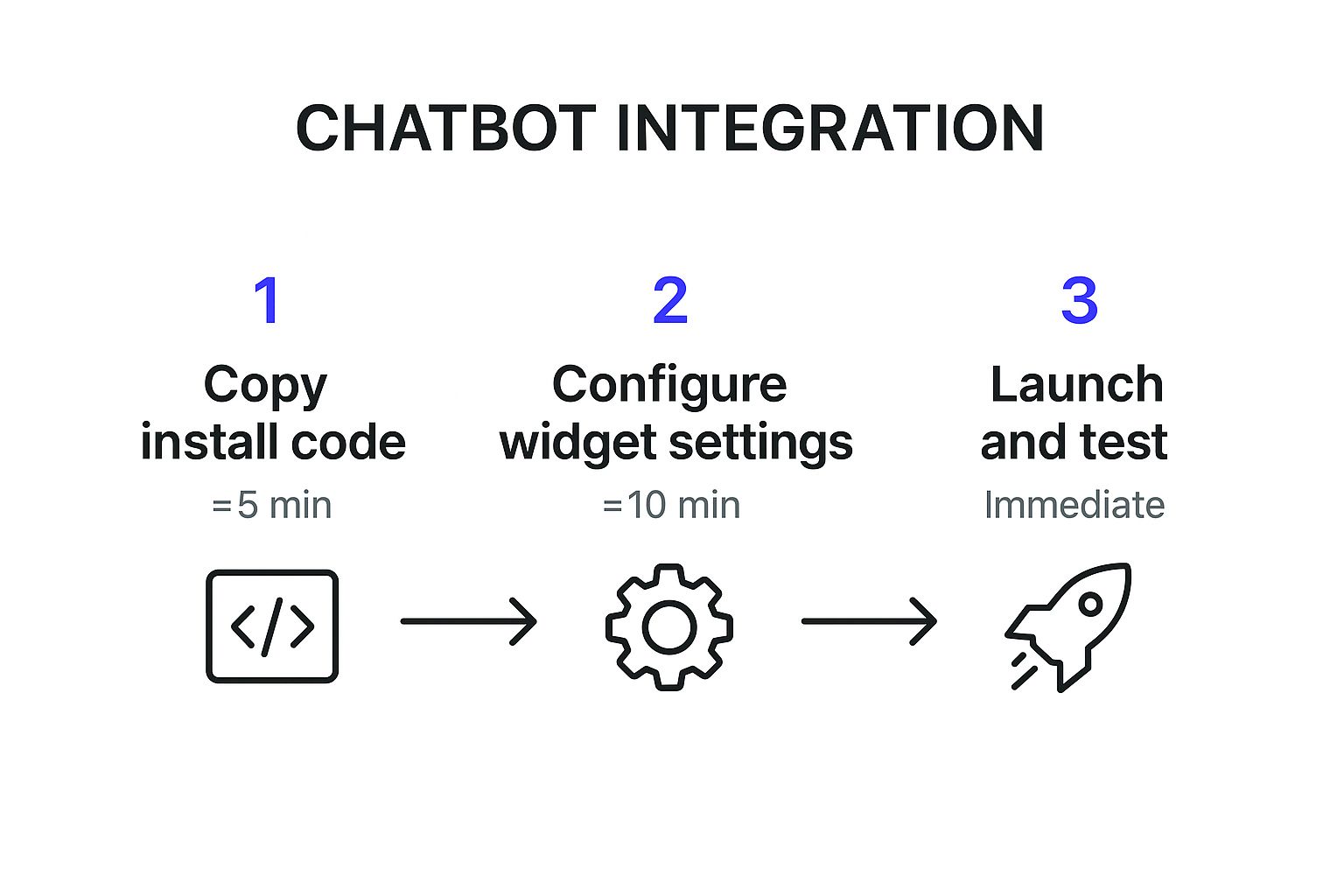
As you can see, you can go from creating your bot to having it live on your website in under 20 minutes. It's remarkably efficient.
Defining Your Chatbot's Personality
Once your bot has the knowledge, it's time to give it some personality. You can do all of this right from the Whisperchat.ai dashboard. Are you looking for a formal, professional tone? Or something more friendly and witty? You set the voice. You can also configure automated greetings to kick off conversations and engage visitors the moment they land on your site.
The dashboard makes tweaking these settings incredibly simple. It’s all laid out in a way that just makes sense.
This screenshot shows how clean the interface is. Uploading your data sources and customizing your bot's behavior is straightforward, without any confusing menus or technical jargon.
Don't underestimate this step. A well-configured bot drives serious engagement. To give you some perspective, back in July 2025, ChatGPT was getting around 5.24 billion monthly visits, with people spending over 12 minutes talking with it. That proves people will interact with a capable AI. Your goal is to make sure that when they interact with yours, it's an expert from the very first conversation.
Embedding Your Chatbot Into Your Website
Alright, you’ve put in the work to build your chatbot's brain and give it a unique personality. Now comes the most rewarding part: making it a living, breathing element of your website.
A well-integrated chatbot should feel like it belongs-not like some clunky, third-party plugin you just bolted on. This is where we fine-tune its appearance before sending it out into the world.
Customizing the Chat Widget
Inside your Whisperchat.ai dashboard, you’ll find all the tools you need to make the chat widget your own. I always tell people to start with the basics:
- Brand Colors: Adjust the widget’s colors to perfectly match your site’s design palette.
- Avatar: Upload your company logo or a custom icon to serve as the chatbot's friendly face.
- Welcome Message: Craft a warm, inviting greeting that sets the tone for the conversation.
Taking a few minutes to get these details right makes a huge difference. It ensures the chatbot feels like a natural part of your brand, which builds visitor trust right from the start.
Getting Your Unique Embed Code
Once you're happy with how the widget looks, it's time to grab the installation code. Head over to the "Embed" or "Installation" section in your dashboard. You’ll see a small block of JavaScript code waiting for you.
This snippet is the magic key that connects your website to the AI you just configured.
Just hit the "Copy" button. You don't need to be a developer or understand a single line of what the code does-you just need to know where to paste it. We designed this to be a true no-code experience so anyone can add a chatbot to their website in just a few minutes.
A Quick Tip: Treat this code snippet like a password. It’s unique to your chatbot, so you’ll want to paste it exactly as it’s provided, without making any changes.
After you've copied the code, the final step is to place it in your website's HTML, right before the closing </body> tag. This is standard practice and ensures your main site content loads first, which is great for page speed. If you want a deeper dive, our guide on adding a chat widget on a website covers some extra nuances.
Embedding Guide for Popular Platforms
Pasting code might sound technical, but most modern website builders have made this incredibly simple. It’s usually a matter of finding the right settings menu.
To make it even easier, here’s a quick reference table for some of the most common platforms I see people using.
| Platform | Location for Code Snippet |
|---|---|
| WordPress | Use a "Header and Footer Scripts" plugin or go to Appearance > Theme File Editor > footer.php and paste before </body>. |
| Shopify | Go to Online Store > Themes > Actions > Edit code. Open the theme.liquid file and paste before the </body> tag. |
| Webflow | In your project settings, navigate to the Custom Code tab. Paste the snippet into the "Footer Code" section. |
| Wix | Go to Settings > Advanced > Custom Code. Click "Add Custom Code" and paste your snippet, ensuring it's set to load in the body-end. |
After pasting the code and hitting "Save" on your platform, you’re done!
Go ahead and visit your live website. You should now see your newly branded chatbot icon, ready to welcome and assist your visitors. You’ve just successfully launched your chatbot without having to write a single line of code.
Optimizing Your Chatbot After Launch
Getting your chatbot live is a huge step, but the work isn’t over. Honestly, the most valuable phase is just beginning.
Think of it this way: launching is the starting line. Continuous optimization is how you actually win the race and see a real return on your investment. True performance comes from listening to your data and making smart, incremental improvements.
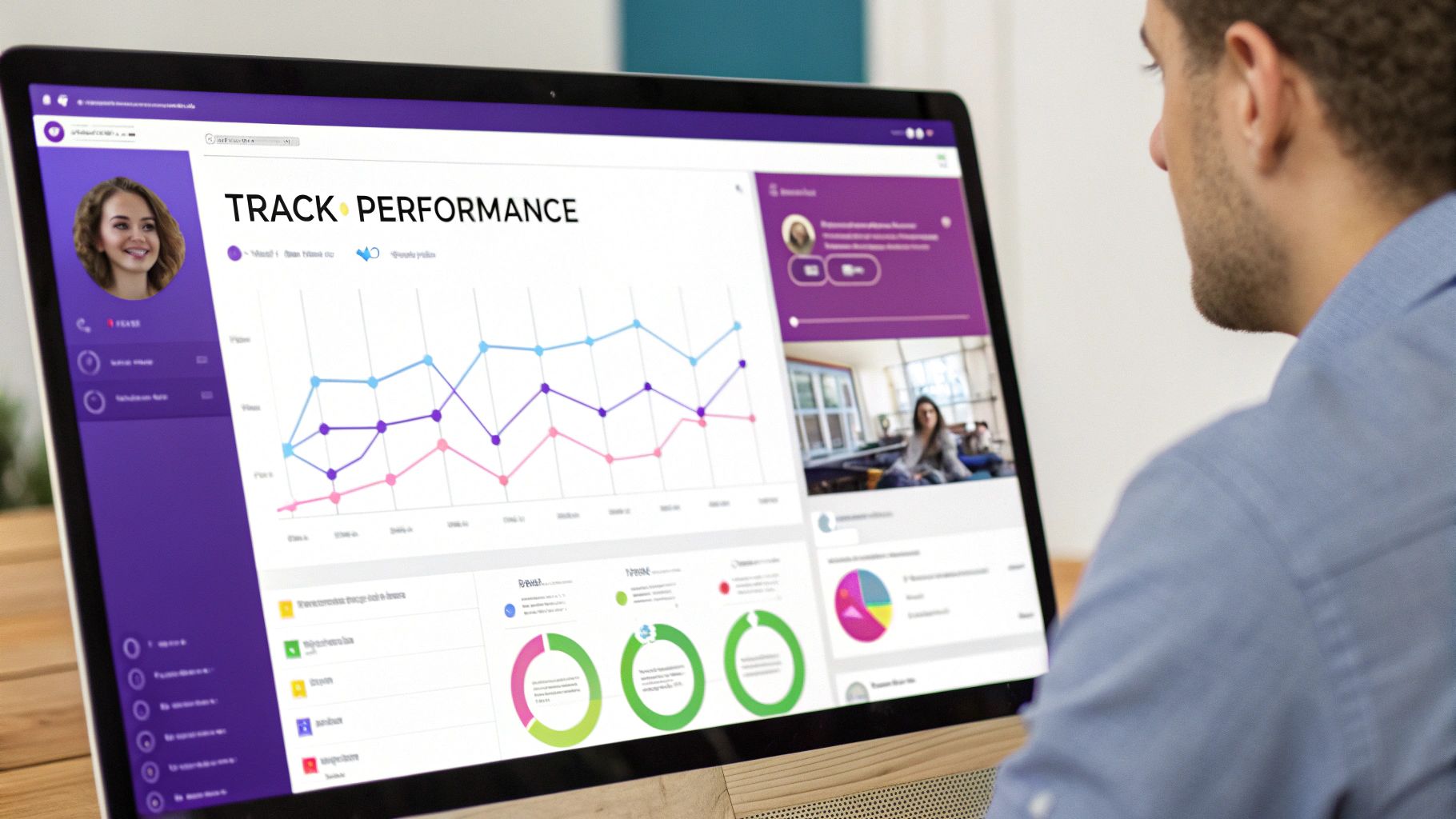
Your Whisperchat.ai analytics dashboard is about to become your new best friend. This is where raw data gets turned into actionable strategy. Forget vanity metrics-we’re focusing on what truly matters for growing your business.
The most common mistake I see is "set it and forget it." A chatbot isn't a static tool. It's an evolving asset that learns from every single interaction, but only if you guide it. Regularly checking its performance is non-negotiable for success.
This post-launch phase is all about sharpening the tool. It's less about the initial setup and more about refining your chatbot into a high-performing lead generation and support machine.
Interpreting Your Chatbot's Performance
Your analytics dashboard provides a goldmine of information. To avoid getting overwhelmed, start by focusing on a few key metrics. These will give you a clear picture of what's working and what needs a little nudge.
- Engagement Rate: What percentage of your website visitors are actually starting a conversation? If this number feels low, it might be time to A/B test a more compelling welcome message or tweak the chatbot's proactive triggers.
- Resolution Success: How many conversations end with the user's question being successfully answered? This is a direct measure of how good your chatbot's knowledge base is.
- Conversation Pathways: What are people asking about most often? Understanding these common topics helps you spot content gaps on your site or even identify new features your customers are asking for.
By keeping an eye on these, you can start making decisions based on solid data instead of just guessing what your audience wants. For a more detailed look, our complete guide to understanding chatbot data analytics will walk you through more advanced metrics.
Turning Insights Into Action
Now for the fun part: using what you've learned. The most powerful insight you can find is what your chatbot couldn't answer. These "unresolved" queries are your optimization roadmap, handed to you on a silver platter.
When you spot a common question the bot fumbled, your next move is simple: update its knowledge base. Just add a new document or tweak an existing webpage with the right information, and Whisperchat.ai will automatically learn it. It's this iterative process that builds a truly expert AI assistant over time.
This continuous improvement loop has a direct impact on your bottom line. Your chatbot plays a crucial role in guiding users through your sales funnel, which is why focusing on effective website conversion rate optimization strategies is so important after you go live. Every question answered is another point of friction removed, moving a visitor one step closer to becoming a customer.
Still Have Questions About Website Chatbots? Let's Clear Things Up.
Even after you're sold on the idea, it's completely natural to have some practical questions pop up. I get it. Adding any new tool to your website feels like a big step. So, let’s walk through some of the most common concerns I hear from business owners who are right where you are now.
What's This Going to Cost Me?
This is almost always the first question, and the answer really depends on what you need. While you can find simple, rule-based bots for a low price, a modern AI chatbot like Whisperchat.ai is more accessible than you might think. Plans with a solid set of features often run between $19 to $49 a month.
But the subscription fee isn't the whole story. The real metric is the value you get in return. Think about it: when a chatbot handles dozens of routine customer questions every single day, it frees up a massive amount of your team's time. That makes the monthly cost a pretty fantastic investment in efficiency.
Will a Chatbot Slow Down My Website?
A legitimate worry. We all know how important site speed is. A clunky, poorly coded tool can absolutely drag your performance down, but any reputable, modern chatbot is built to be incredibly lightweight.
Providers like Whisperchat.ai use a small script that loads asynchronously. In plain English, this means it loads separately from your main website content, so it never gets in the way of your visitors seeing your pages load quickly. Your site's performance stays snappy.
Can My Chatbot Actually Talk to My Other Software?
Yes, and frankly, it should. This is where a chatbot goes from being a neat feature to a genuine powerhouse for your business. A good AI chatbot needs to connect seamlessly with the tools you already rely on every day.
Imagine setting up your chatbot to do things like this automatically:
- Push new lead contact details straight into your CRM.
- Instantly create a support ticket in your help desk software.
- Ping your sales team on Slack the moment a high-value prospect starts a conversation.
These kinds of integrations turn the chatbot from a simple Q&A bot into a central hub for automating tasks and saving a ton of time.
While a chatbot is fantastic for answering questions on the fly, a well-structured, static FAQ page still holds a ton of value. For some great tips on mastering FAQ elements for SEO, you can find some excellent advice that perfectly complements your AI strategy.
Ultimately, getting clear on these points should give you the confidence to move forward. A chatbot isn't just another expense; it's a smart, efficient, and cost-effective way to improve your website.
Ready to see how an AI assistant can completely change your customer interactions and fill your pipeline with new leads? Get started with Whisperchat.ai and you can have a fully-trained chatbot live on your site in just a few minutes. Explore Whisperchat.ai now!