
Add a Chat Widget On Website to Boost Sales
Learn how to add a chat widget on website to transform user engagement and increase sales. Our guide covers benefits, features, and setup steps.
Picture your website as your digital storefront. A chat widget on a website is like stationing your most helpful, friendly employee right at the entrance. It’s that small, welcoming window that pops up, ready to greet visitors, answer questions, and make everyone feel seen and heard.
Why a Chat Widget Is Your Website’s Best Employee
A website without a chat feature, no matter how well-designed, is basically a monologue-it just talks at people. A chat widget flips that script, turning your site into a lively, two-way conversation. This little interactive tool becomes the essential bridge connecting you directly with customers the very moment they need a hand.
It elevates your website from a static online brochure into an active, engaging space. Instead of making visitors hunt for a "Contact Us" page and send an email into the abyss, you're offering help right then and there.
Transforming Visitors into Customers
The main job of this "digital employee" is to smooth out the bumps in the customer journey. Think about it: a potential customer is on a product page with a quick question about sizing, or they're at checkout wondering about shipping. That tiny bit of uncertainty is often all it takes to lose the sale.
A chat widget delivers answers on the spot, clearing up doubts before they lead to an abandoned cart. This has a direct, measurable impact. In fact, integrating live chat can boost the average order value by as much as 43% during checkout because instant help builds trust. What's more, data from LLCBuddy.com's live chat statistics shows that around 38% of visitors to sites with live chat are more likely to make a purchase.
The table below breaks down how a simple chat widget can have an outsized impact on key business metrics.
How a Chat Widget Impacts Business Metrics
| Metric | Potential Impact |
|---|---|
| Conversion Rate | Increases by providing immediate answers and reducing purchase anxiety. |
| Average Order Value | Rises as agents can upsell, cross-sell, or offer relevant promotions. |
| Cart Abandonment | Decreases by resolving last-minute questions about shipping or payment. |
| Customer Satisfaction | Improves significantly due to fast, convenient, and personalized support. |
| Lead Generation | Captures contact information from prospects proactively, even after hours. |
| Support Costs | Reduces by allowing a single agent to handle multiple conversations at once. |
By offering support exactly when and where it's needed, a chat widget doesn't just solve problems-it actively steers users toward a purchase, making them happier and boosting your revenue.
More Than Just a Support Tool
While it’s a fantastic support channel, the real power of a chat widget on a website goes much deeper. It’s an incredible tool for gathering real-time feedback. Every question a customer asks is a direct peek into their thoughts, revealing pain points, product confusion, or ideas for new features. That kind of feedback is pure gold for refining your entire business.
If you're ready to see how this works in practice, our complete guide on adding a chat widget for your website breaks it all down. Ultimately, this isn't just another feature to tack on; it's a central piece of any modern strategy focused on building real customer loyalty and driving growth.
The Real-World Benefits of Website Chat

Once you've got a chat widget on your site, you start to see where the real magic happens. This isn't just about adding a new feature; it's about fundamentally changing how you interact with customers, which leads to some serious, measurable wins for your business.
At the heart of it all is one simple thing: instant gratification. When someone lands on your site with a question, they don't want to dig for a contact form and wait a day for an email. They want an answer right now, while they're still interested.
This need for speed has made live chat a dominant force. In fact, 60% of customers who open a chat window expect a response immediately. When businesses deliver on that, the results are incredible-a 73% customer satisfaction rate, easily beating out old-school channels like email and phone support. You can dive deeper into the numbers with these live chat trends at SAASworthy.com. It’s clear proof that real-time engagement is what modern buyers want.
Boost Sales by Reducing Friction
Think of every unanswered question or moment of doubt as a point of friction in your sales process. These little hurdles are often all it takes for a potential customer to get frustrated, abandon their cart, and head over to a competitor.
A chat widget is your secret weapon for smoothing out these bumps.
Imagine these common situations:
- An e-commerce shopper is stuck between two similar products. A quick chat can help them nail down the right choice and move forward with confidence.
- A B2B prospect checking out your SaaS site has a specific question about your pricing tiers. An instant answer can be the very thing that gets them to book a demo instead of bouncing.
- A first-time buyer is at checkout but gets nervous about your return policy. A quick, reassuring message from a chat agent can give them the final push they need to hit "buy."
By stepping in at these critical moments, you’re not just answering questions; you’re dismantling the roadblocks that kill sales. This direct line of communication helps increase conversion rates and can even lift your average order value when agents suggest upgrades or related products.
Improve Your Operational Efficiency
Beyond sales, a well-run chat widget can make your entire team more productive. It acts as a smart filter, handling the flood of common, repetitive questions so your more expensive support channels don't have to.
The impact of this is huge. Instead of your expert support staff spending half their day answering "What are your hours?" or "Where's my order?", a simple chatbot can field those questions instantly, 24/7.
Key Insight: By filtering out the easy stuff, a chat widget frees up your human agents to tackle the complex, high-value problems. Your support team transforms from a simple cost center into a strategic asset that solves big issues, saves important customers, and spots new opportunities.
This shift does more than just save time and money-it makes your support smarter. Your team can focus their energy on issues that require genuine problem-solving and a human touch, which leads to better results and happier employees. Plus, a single agent can manage several chat conversations at once, something that's impossible over the phone. You can help more people, more effectively, without needing to double your headcount.
Choosing the Right Chat Widget Features
Picking a chat widget on a website is a bit like choosing a new car. You could go for a basic, reliable model that just gets you from point A to point B. Or, you could invest in a high-performance machine loaded with all the latest tech. Both will get you on the road, but the experience-and the results you see-will be worlds apart.
The truth is, not all chat widgets are created equal. Your mission is to find the perfect set of features that fits your business goals, your team's capacity, and what your customers actually expect. A simple live chat box might be all a small boutique needs, but a growing e-commerce store will likely demand a lot more power under the hood.
This image breaks down the trade-offs between different ways you can get a chat widget running on your site.
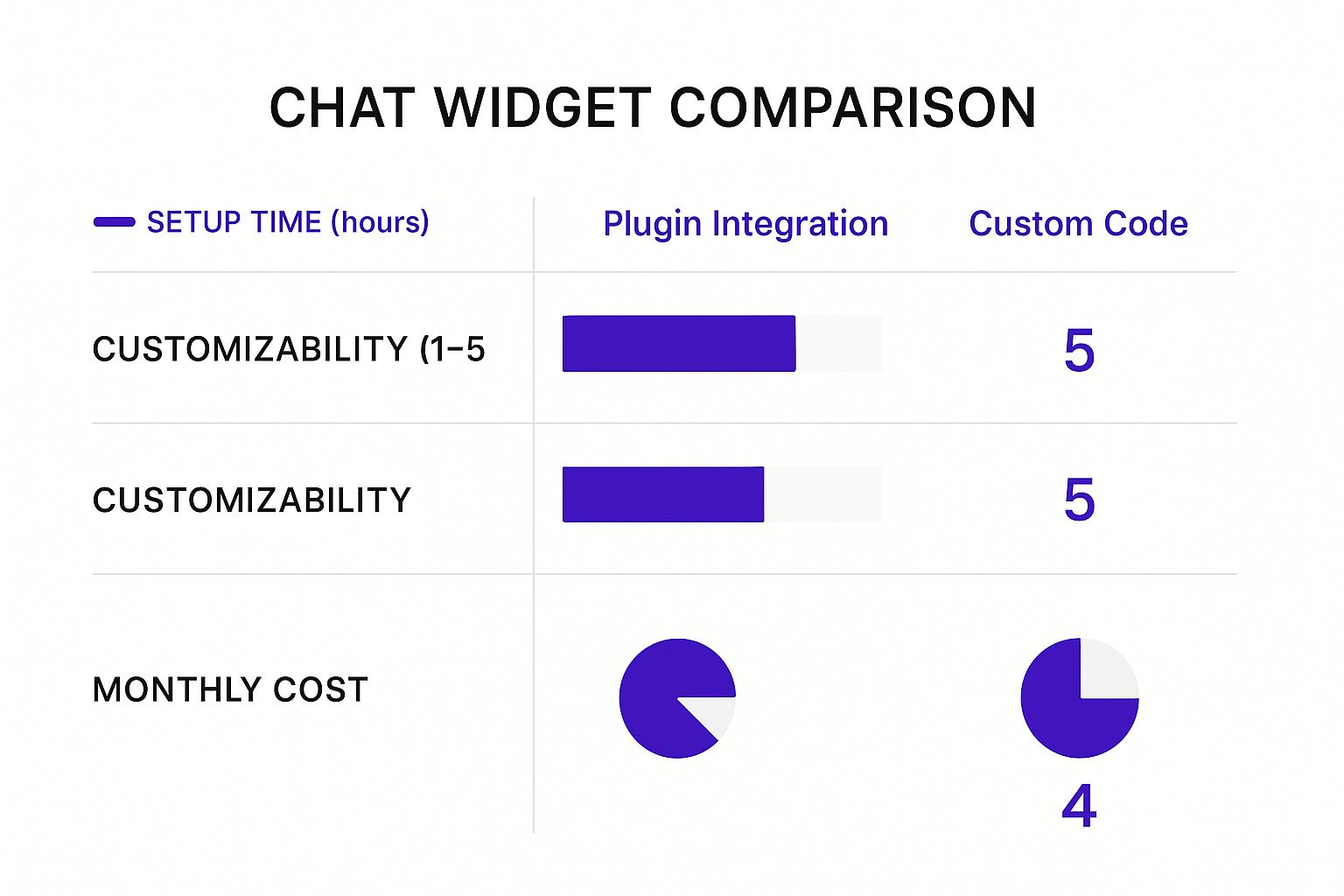
As you can see, there's a clear give-and-take. Plugins get you up and running fast but offer limited control, while custom code gives you total freedom at the cost of significant time and resources.
Core Features Every Business Should Consider
No matter which path you take, some features are simply non-negotiable. Think of these as the must-haves for any chat strategy that's serious about getting results.
Proactive Chat Invitations: Don't just sit there and wait! This feature lets you start the conversation. You can set up triggers based on what a visitor is doing, like how long they've been on a page or if they have certain items in their cart. It’s the digital version of a great retail employee asking, "Can I help you find anything?"
Canned Responses: These are your secret weapon for speed and consistency. Canned responses are pre-written answers to all those common questions you get over and over again. Instead of typing out your return policy for the tenth time today, your agent can send a perfect, brand-approved answer with a single click.
Smart Chat Routing: Nothing frustrates a customer faster than getting bounced from one department to another. Smart routing is the solution. It automatically directs a customer to the right person-whether in sales, support, or billing-based on the page they're on or their answer to a quick pre-chat question.
A chat widget is only as good as the system behind it. The goal isn't just to talk to customers, but to connect them with the person who can solve their problem the fastest. Smart routing makes that happen.
These fundamental features are the bedrock of a great chat setup, improving both your customer experience and your team's sanity from day one.
The Leap to AI and Automation
Ready to see where things get really interesting? This is where modern chat widgets truly shine. By bringing artificial intelligence into the mix, these tools transform from simple pop-up windows into autonomous problem-solvers. The star of the show here is the AI chatbot.
An AI chatbot can juggle an unlimited number of conversations at once, 24/7, without ever calling in sick. It can field common questions, qualify new leads by asking a few screening questions, and even book appointments right on the spot. It’s this incredible efficiency that has the global AI chatbot market, recently valued at over $15 billion, on track to hit $46.6 billion in the next five years, as detailed in Zoho's chatbot statistics.
For any business with plans to grow, this kind of automation isn't just a nice-to-have; it's essential. It frees up your human team to do what they do best: handle the complex, high-value conversations that require real empathy and critical thinking.
Comparing Live Chat vs AI Chatbot Features
So, when does it make sense to use a human, and when should you let the AI take over? This table breaks down the key differences to help you decide.
| Feature | Live Chat (Human Agent) | AI Chatbot |
|---|---|---|
| Availability | Limited to business hours and agent availability. | 24/7/365, providing instant responses anytime. |
| Cost | Ongoing salary and training costs for human agents. | Monthly subscription fee; more cost-effective at scale. |
| Conversation Volume | An agent can handle 2-3 chats simultaneously. | Can manage thousands of conversations at once without a drop in performance. |
| Complex Problem Solving | Excellent. Humans can understand nuance and complex issues. | Limited. Best for answering FAQs and handling routine tasks. |
| Emotional Intelligence | High. Can show empathy, build rapport, and de-escalate. | None. Relies on programmed logic and cannot understand human emotion. |
| Lead Qualification | Can be done, but takes up valuable agent time. | Excellent. Can ask screening questions and route qualified leads instantly. |
| Data Collection | Manually enters data into other systems. | Automatically captures and syncs data with integrated tools like a CRM. |
Ultimately, the best strategy often involves a hybrid approach-letting AI handle the simple, repetitive tasks while keeping your expert human agents ready for the moments that truly matter.
Essential Integrations for a Unified View
A chat widget that operates in a bubble is a missed opportunity. To get the most out of it, your chat tool needs to communicate seamlessly with the other software that runs your business.
Two integrations are absolutely critical:
CRM Integration: This is non-negotiable. Connecting your chat tool to your Customer Relationship Management (CRM) system like HubSpot or Salesforce means every chat transcript and lead detail is automatically saved to the right contact record. This gives your entire team a 360-degree view of every customer interaction.
Help Desk Integration: When a simple chat turns into a complex support issue, this integration is a lifesaver. It allows your agent to create a support ticket in a platform like Zendesk or Freshdesk directly from the chat window, ensuring no issue ever falls through the cracks.
By choosing a chat widget on a website with the right blend of features and integrations, you aren't just adding another tool. You're building a smarter, more responsive, and more efficient engine for your entire customer experience.
How to Install and Customize Your Chat Widget
Getting a chat widget up and running on your website is surprisingly simple. The days of needing a developer for every little tweak are long gone. Most of the top chat providers have made installation a basic copy-and-paste job that almost anyone can handle.
But the real magic isn't just getting it installed. It's in the customization. This is where you take a generic tool and make it a seamless part of your brand's experience.
Once you’ve picked your chat provider and created an account, they'll give you a small snippet of JavaScript code. You can think of this code as the key that unlocks the connection between your website and their service. All you have to do is place this key in the right spot, which is typically in the header or footer of your site's code.
If your site is built on a platform like WordPress, Shopify, or Squarespace, it's even easier. Many chat services offer dedicated plugins or apps that do all the heavy lifting for you. With a plugin, installation can be as simple as a few clicks to install and activate. Since many widgets function as plugins, it’s a good idea to be familiar with best practices for general WordPress plugin management to keep your site running smoothly.
Making the Widget Your Own
Okay, so the code is in place and the widget is technically live. But it's not really yours yet. Now for the fun part: branding. A generic, out-of-the-box widget can feel clunky and out of place to your visitors. Customizing it makes the chat feel like a natural extension of your website, not some third-party add-on.
Start with the visual basics:
- Colors and Logos: Change the widget's color scheme to match your brand palette. Upload your logo to the chat header and even to the agent avatars. This builds instant recognition and trust.
- Position and Style: Decide where the widget will sit on the page. The bottom-right corner is traditional for a reason, but you can choose a button style that truly complements your site's design.
- Fonts: If you can, match the widget's font to your website's main typography. This is a pro touch that creates a completely seamless look.
These small visual details make a huge difference in crafting a professional and cohesive user experience. It signals to your visitors that this is an official, trustworthy way to communicate with you.
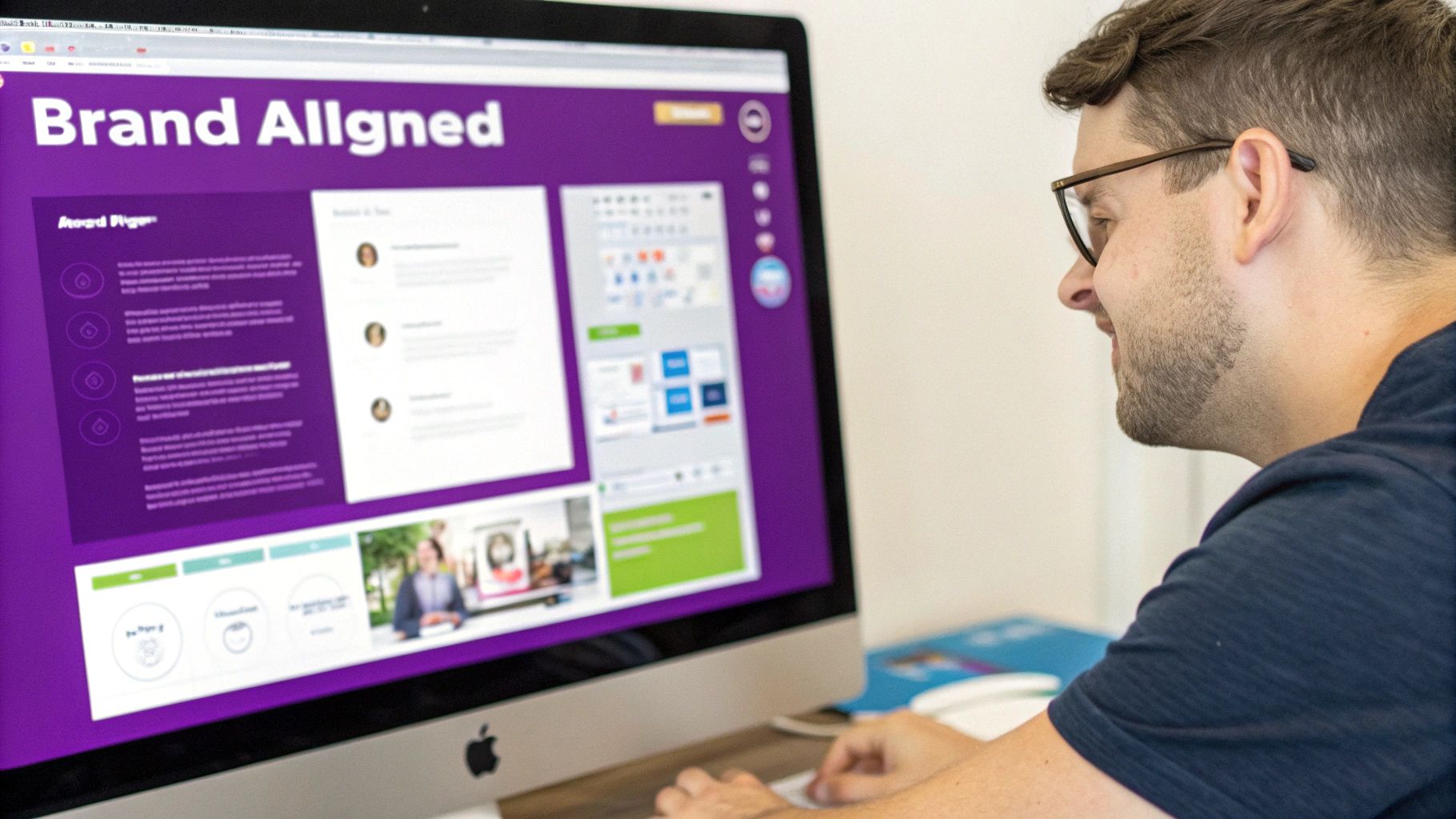
Key Takeaway: Customization isn't just about looking good; it's about building trust. A chat widget that visually aligns with your brand feels more credible and encourages people to actually use it.
Crafting the Perfect Welcome
With the visuals nailed down, it's time to think about the words. The very first message a visitor sees is your best chance to start a great conversation. A default "How can I help?" is okay, but you can do so much better. A tailored welcome message can dramatically boost engagement.
Think about using a powerful, contextual opening line:
- For a pricing page: "Hi there! Looking over our plans? Let me know if you have any questions about the features."
- For an e-commerce store: "Welcome! We're offering free shipping on all orders today. Need help finding the perfect gift?"
- A simple, friendly greeting: "Hey! So glad you stopped by. A real human is here if you need anything."
Your welcome message sets the tone. Make it friendly, helpful, and, most importantly, relevant to the page the visitor is on. This proactive approach shows you're paying attention and ready to help, making people far more likely to click and chat.
Setting Up Smart Rules and Availability
Finally, a truly effective chat widget on a website works on your schedule. You don't need a 24/7 team to offer great support. Most chat platforms let you set up smart rules to manage visitor expectations and capture leads even when you’re offline.
Set your operating hours so live chat is only offered when your team is actually there to respond. Outside of those hours, the widget can automatically flip to an offline form. This form can grab a visitor's name, email, and question, turning a missed chat into a warm lead for your team to follow up on the next day. By mixing smart branding with thoughtful automation, you create a powerful engagement tool that works for you around the clock.
A Strategic Playbook for Chat Widget Success
Installing a chat widget is like opening a new front door to your business. But just having the door isn't enough-you need a solid plan to welcome people through it and give them an experience worth remembering. This is where a good strategy comes in. True success with a chat widget on a website isn't about just having it there; it's about turning that little icon into an active, intelligent part of how you talk to customers.
This playbook isn't about code or plugins. It’s all about the people and processes that bring your conversations to life. The real goal is making sure every chat is helpful, consistent, and feels like your brand, turning your chat channel from a simple feature into a genuine business asset.
Building Your Foundation for Consistent Service
Your first move is to empower your team. Think of your chat agents as the voice of your brand. To represent you well, they need the right training and tools. Consistency is everything here, because customers expect the same great service no matter who they talk to.
To get there, concentrate on two key things:
Standardize Your Brand Voice: Create a simple guide on tone and style. Should your team be formal and professional, or more relaxed and friendly? Give them real examples of how to greet customers, handle someone who's frustrated, and sign off. This ensures every conversation has your company's distinct personality.
Create a Central Knowledge Base: Your agents shouldn't have to wing it. Build a comprehensive, easy-to-search library with approved answers for common questions, product details, and return policies. Think of it as the single source of truth that guarantees they can deliver fast, accurate answers every single time.
Getting these basics right removes the guesswork. It equips your team to handle any question with confidence and consistency, which is the absolute bedrock of a trustworthy support experience.
A well-trained agent armed with a robust knowledge base can solve problems faster, which directly leads to happier customers. It's the difference between a fumbling, uncertain chat and a smooth, professional interaction that builds real loyalty.
By standardizing your approach, you create a reliable and predictable experience that customers learn to count on. This is the first real step from just having a chat widget to truly mastering it.
Measuring What Matters with Clear KPIs
You can't improve what you don't measure. Plain and simple. To figure out if your chat strategy is actually working, you need to define and track clear Key Performance Indicators (KPIs). These numbers give you the hard data to see what’s going well and where you need to improve.
Start by tracking these essential chat metrics:
| Metric | What It Measures | Why It's Important |
|---|---|---|
| First Response Time | How long a visitor waits for the first reply. | In chat, speed is king. A low response time is one of the biggest drivers of customer satisfaction. |
| Average Resolution Time | The total time it takes to resolve an issue from start to finish. | This tells you how efficient your team is and reveals the complexity of the problems you're facing. |
| Customer Satisfaction (CSAT) | A rating of how happy a customer was with the interaction. | This is the ultimate report card. A simple post-chat survey can give you incredibly valuable feedback. |
Keeping an eye on these numbers gives you a real-time pulse on your chat channel's health. It helps you spot your top-performing agents, identify training gaps, and justify investing more into your support team. From here, you can even explore more advanced strategies, like using chat to build an automated sales funnel that guides potential customers toward a purchase.
Finding the Human-Automation Balance
The final piece of the puzzle is striking the right balance between automation and a real human touch. AI chatbots are fantastic for handling routine questions 24/7, but when things get complicated, customers still want the empathy and creative problem-solving of a person.
For most businesses, a hybrid approach works best. Let a chatbot be your first line of defense-it can answer common questions instantly and gather some basic info. This frees up your human agents to jump in when a situation needs a bit more nuance or a personal connection. With this strategy, customers get an immediate response but always know a human expert is ready to help if they need one.
By putting this playbook into action-training your team, measuring what matters, and balancing automation with human expertise-you can transform your chat widget on a website from a simple button into a powerful engine for building customer loyalty and growing your business.
Common Questions About Website Chat Widgets
Even when you see all the benefits, pulling the trigger and adding a chat widget to your website can still bring up a few last-minute questions. That's smart. It's always best to work through the practical details before you jump in.
Think of this section as your final pre-flight check. We'll tackle the most common concerns we hear from business owners, from site speed to staffing, so you can move forward feeling completely confident.
Will a Chat Widget Slow Down My Website?
This is probably the number one concern we hear, and it's a perfectly valid one.
The short answer? Not if you choose a modern, well-built provider.
Today’s reputable chat widgets are built to be incredibly lightweight. They use a technique called asynchronous loading, which is just a fancy way of saying they load independently of your main website content. This means your text, images, and other critical elements pop up for your visitors instantly, without having to wait for the chat widget to get its act together.
It's true that any extra script adds a tiny bit of load time, but a quality widget's impact is usually negligible-we're talking just a few kilobytes. The immense value you get back from instant engagement and higher conversion rates almost always makes it a worthwhile trade-off. The key is simply to pick a trusted provider that obsesses over optimized code.
How Much Does a Chat Widget on a Website Cost?
The price tag for a chat widget can swing from completely free to hundreds of dollars a month. It all comes down to what you need it to do.
Here’s a general breakdown of what to expect:
Free Plans: Many top providers, including Whisperchat.ai, offer a free tier. These are fantastic for small businesses or anyone just starting out. You'll typically get basic live chat for one or two people and a set number of conversations per month.
Standard Plans: As your business grows, you'll likely look at plans in the $15 to $50 per agent per month range. This is where you unlock more powerful tools like smart chat routing, basic analytics, and greater customization options.
Advanced & Enterprise Plans: Big companies or those who need serious automation will look at plans that can cost $100 or more per month. These tiers bring in the heavy hitters: advanced AI chatbots, deep integrations with your CRM, and powerful analytics to measure everything.
My advice? Take a realistic look at your current needs and identify your "must-have" features. Start with a plan that fits your budget today, knowing you can always scale up as your business grows.
Can I Use a Chat Widget Without 24/7 Staff?
Absolutely. This is one of the most powerful things about modern chat tools. You do not need a round-the-clock team to provide amazing service.
You have a couple of great ways to handle this.
First, you can simply set "operating hours." When your team is online, the widget offers a live conversation. When you're offline, it cleverly switches to an offline form. This lets visitors leave their name, email, and question, creating a perfect lead for your team to follow up on the next day.
This hybrid approach ensures you never miss a chance to connect. You give instant support when you can and reliably capture leads when you can't, turning your website into a 24/7 opportunity magnet.
Second, you can unleash an AI chatbot. A well-trained chatbot can answer common questions, qualify new leads, and even book meetings for you all day and all night, with zero human oversight. This guarantees your visitors always get an instant, helpful response, no matter when they stop by.
What Is the Difference Between a Chat Widget and a Chatbot?
It's easy to get these two mixed up, but the difference is actually pretty simple.
Think of the chat widget as the physical interface on your site-the little button in the corner, the welcome pop-up, and the window where you type. It’s the door.
A chatbot is one of the things that can be behind that door.
The conversation that happens inside the widget is powered by one of two things:
- Live Chat: A real human is on the other end, typing responses in real time.
- A Chatbot: An AI program is answering questions based on pre-programmed rules or the data it's been trained on.
So, the widget is the front door, and either a human agent or a chatbot is the one who answers. Many businesses now use a hybrid model, where a chatbot handles the initial greeting and then seamlessly passes the conversation to a human if things get complicated. Digging into your chatbot analytics is the key to understanding and perfecting that handoff.
Ready to transform your website into a conversation powerhouse? Whisperchat.ai makes it easy to deploy a smart AI chatbot trained on your own content. Answer questions, capture leads, and delight customers 24/7-no coding required. Start your free trial today!