
Build a Smarter Chatbot Knowledge Base
Learn how to build a powerful chatbot knowledge base. Our guide covers strategy, maintenance, and tools to elevate your customer support and AI engagement.
Ever interact with a chatbot and get the dreaded, "I'm sorry, I don't understand"? It’s a frustratingly common experience. This usually isn't a problem with the chatbot's AI, but with its "brain" - or lack thereof. This brain is its chatbot knowledge base, and it’s the single most critical component for making a bot genuinely helpful.
Without a solid knowledge base, your bot is essentially flying blind. It’s just guessing, and that leads to dead-end conversations and unhappy customers.
Why Your Chatbot Needs a Strong Knowledge Base
Let's use an analogy. Imagine hiring a brilliant, highly-skilled customer service agent, but then locking them in an empty room with no computer, no phone, and no product manuals. They have all the potential to be amazing, but without access to information, they're completely useless.
A chatbot without a knowledge base is in the exact same predicament. A well-built chatbot knowledge base is what fills that room with everything your bot needs to know-product specs, troubleshooting guides, company policies, and answers to common questions. It transforms the bot from a frustrating gimmick into an indispensable resource.
The Foundation of Intelligent Conversations
At its heart, a knowledge base is a carefully organized collection of information. But it's much more than just a digital filing cabinet. Modern chatbots use this data to perform some pretty sophisticated tasks.
They can:
- Understand User Intent: The bot learns to look past simple keywords and figure out what a user is really trying to accomplish.
- Provide Contextual Answers: Instead of spitting out generic replies, it can give answers that make sense within the flow of the specific conversation.
- Ensure Accuracy and Consistency: It guarantees every customer gets the same, correct information every single time, eliminating the guesswork.
This is the foundation that separates a rigid, scripted bot from a truly intelligent AI that feels like you're talking to an expert. One creates headaches, the other builds trust.
To better understand these crucial roles, the table below breaks down the core functions of a knowledge base and the direct impact they have on your business.
Core Functions of a Chatbot Knowledge Base
| Function | Description | Business Impact |
|---|---|---|
| Information Retrieval | Serves as the single source of truth, storing all necessary data, from FAQs to technical documents. | Guarantees that every answer provided by the chatbot is accurate, consistent, and up-to-date. |
| Contextual Understanding | Helps the AI grasp the nuances of a query, including user history and conversational context. | Enables personalized and relevant responses, which significantly improves the customer experience. |
| Scalable Support | Allows the chatbot to handle a massive volume of inquiries simultaneously without a drop in quality. | Reduces the burden on human agents, lowers support costs, and ensures 24/7 availability for customers. |
| Continuous Learning | Provides the data foundation for the chatbot to learn from interactions and identify knowledge gaps. | Leads to ongoing improvements in chatbot performance, making it smarter and more effective over time. |
As you can see, a knowledge base does more than just answer questions; it's the engine that powers a smarter, more efficient, and more reliable customer support system.
Meeting Modern Customer Expectations
Today's customers expect instant answers, anytime, day or night. This demand is why businesses are turning to automation in droves, a trend clearly visible in the market’s explosive growth. The global chatbot market is currently valued at around $15.57 billion, a staggering increase from just $2.47 billion in 2021. With projections showing the market could hit $46.64 billion by 2029, it's obvious that automated support is no longer a luxury-it's a business essential. You can explore more data about this rapid market expansion to see what’s driving it.
A powerful knowledge base is the single most important factor in a chatbot's success. It's the difference between a bot that resolves issues and one that creates new ones.
Building a great knowledge base isn't just a technical task; it's an investment in your customer experience. It allows your bot to handle the routine stuff effortlessly, freeing up your human team to tackle the complex, high-stakes issues where their expertise is most needed. The result? A far more efficient support operation and a much happier customer base.
The Anatomy of a High-Performing Knowledge Base
To really get what makes a great chatbot knowledge base tick, you have to look under the hood. It’s so much more than a simple folder of FAQs. Think of it as a sophisticated digital library, where every component has a specific job to do.
All your raw information-product manuals, support tickets, website pages, and internal docs-are like the books on the shelves. But just having a bunch of books isn't useful until you have a smart system to find exactly what you need, right when you need it.
This infographic breaks down how all the pieces come together to produce real-world results for a business.
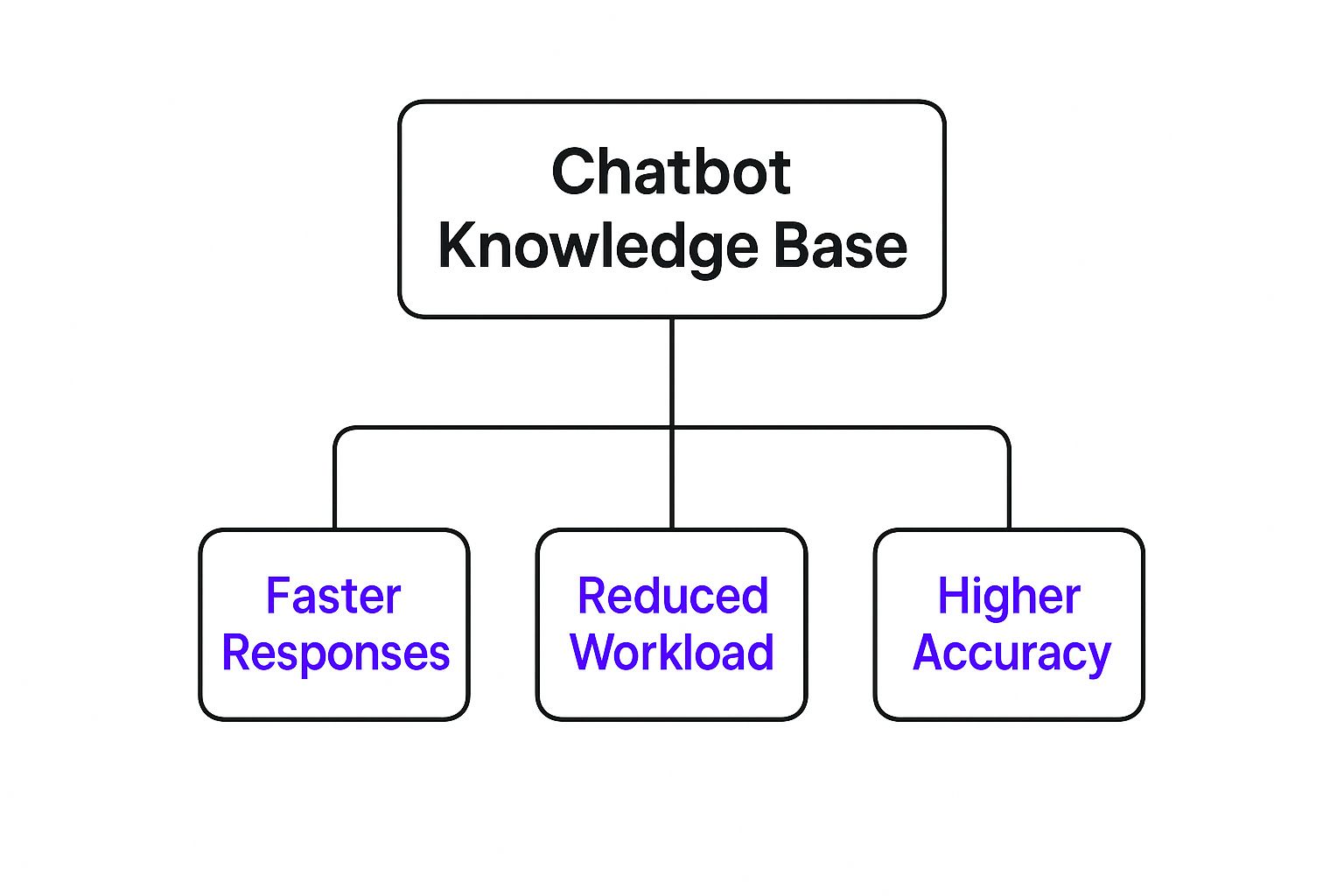
As you can see, a well-built knowledge base is the engine behind faster customer support, a lighter workload for your human agents, and much more accurate answers. Let's pull back the curtain on the architecture that makes it all happen.
The Core Architectural Components
A high-performing chatbot knowledge base is built on several key layers. It’s a process that starts with all your scattered, unstructured data and ends with a precise, helpful answer delivered to a customer.
Here’s how it works:
Data Sources: This is the bedrock. It’s everything you want the chatbot to know-your PDFs, website content, Word docs, spreadsheets, you name it. The quality and depth of this information directly define how smart your chatbot can be.
Ingestion and Processing Engine: Think of this as the super-smart librarian who reads and catalogs every new book. This engine grabs your raw data, breaks it down into understandable chunks, and gets it ready for the next step. It’s the crucial first pass that makes sense of everything.
Vector Database: This isn't your grandma's card catalog. A vector database is a highly advanced index that organizes information by its meaning, not just by keywords. It turns text into numerical representations called embeddings, which lets the system find information based on conceptual similarity. This is how a bot can find the right answer even if the user's phrasing is totally different from your source documents.
Retrieval Mechanism: When a user asks a question, this is the expert that sprints through the aisles to find the most relevant passages. This process, often called Retrieval-Augmented Generation (RAG), makes sure the chatbot uses your verified, factual data to build its answer.
The key takeaway here is that the chatbot isn’t just reciting canned responses. It pulls relevant information from your knowledge base and uses that as context to craft a completely new, accurate answer on the spot.
Why This Structure Matters
This layered architecture is exactly what gives modern AI chatbots their power. It’s a huge leap from older, rule-based bots that would break if you didn’t ask a question in the perfect way. The success of a knowledge base comes down to its structure, much like how good website information architecture helps people navigate a site without getting lost.
By keeping your data separate from the core AI model, you get some massive advantages:
- Accuracy: Answers are directly tied to your documents. This dramatically cuts down the risk of the AI "hallucinating" or just making things up.
- Scalability: You can toss in new documents or update old ones whenever you want. The system simply processes the new info and updates its index, keeping the chatbot's knowledge fresh without any heavy lifting.
- Flexibility: The system gets context and meaning, not just keywords. A customer can ask, "How do I send back the thing I bought last month?" and the bot can find the right return policy, even if that exact phrase is nowhere to be found.
How to Develop Your Knowledge Base Content Strategy
There's an old saying in programming: "garbage in, garbage out." It’s a classic for a reason, and it’s never been more true than when dealing with AI. The intelligence of your chatbot is a direct reflection of the quality of its knowledge base. A poorly planned content strategy results in a bot that just frustrates users, but a strong one creates an assistant that people genuinely find helpful.
Think of it like training a new employee. You wouldn't just toss a messy pile of documents on their desk and expect them to become a top performer. You’d need a structured plan to feed them the right information, in the right way, at the right time.

This playbook will walk you through creating and managing the information that powers your bot. The goal is to turn it into a first-contact resolution machine.
Identify Your Customer's True Questions
Before you write a single word, you have to know what your customers are really asking. It's time to put on your detective hat and dig into your existing communication channels to find recurring themes and common pain points.
Your job is to unearth the golden nuggets of information that will solve the most frequent problems. Start your investigation by analyzing these key sources:
- Support Tickets and Live Chat Transcripts: This is your treasure trove. Look for the questions that pop up again and again.
- Social Media Comments and DMs: What are people asking on your social pages? The language here is often more casual, which is perfect for training your bot to understand natural conversation.
- Sales Team Feedback: Your sales reps are on the front lines every day. Ask them about the most common questions, objections, and roadblocks they hear from prospects.
- Product Reviews: Both glowing and critical reviews hold powerful insights into what users love, what confuses them, and where they need help.
By gathering this data first, you can build a chatbot knowledge base that addresses real-world needs, not just what you think your customers want to know.
Write for a Bot, Not a Human
Writing for a chatbot is a different beast entirely. Your content has to be incredibly clear, concise, and structured in a way that an AI can easily digest and serve up. Forget long, flowing paragraphs; think in direct answers.
A great knowledge base article anticipates follow-up questions. If you explain how to request a refund, the next logical pieces of information are the refund processing time and the policy on non-refundable items.
Here are a few core principles for writing bot-friendly content:
- Use Clear and Simple Language: Ditch the industry jargon, marketing fluff, and overly complex sentences. Stick to a straightforward, active voice.
- Focus on a Single Topic Per Document: Each article in your knowledge base should be dedicated to answering one specific question or solving one specific problem. This focus makes it much easier for the AI to pinpoint the single most relevant answer.
- Anticipate User Intent: Think about all the different ways a customer might phrase a question. Include synonyms and alternate wording to help the bot connect the dots and improve its retrieval accuracy.
This highly structured approach is what makes modern chatbots so effective. In fact, it's not uncommon for today's bots to successfully handle up to 80% of routine queries without any human intervention. For some businesses, this has led to annual savings of up to $300,000 and massive reductions in support hours. You can learn more about these impressive AI chatbot statistics that show just how sophisticated these tools have become.
Maintain a Consistent Brand Voice
Finally, remember that your chatbot is a direct extension of your brand. Its personality and tone should perfectly match your company's overall voice, whether that's buttoned-up and professional or fun and laid-back.
A consistent voice builds trust and creates a much smoother experience for the user. Make sure you define your bot's persona early on and that everyone who contributes content sticks to it. This final layer of polish is what turns a functional tool into a memorable brand interaction.
Best Practices for Maintaining a Healthy Knowledge Base
A chatbot knowledge base isn't a "set it and forget it" project. Think of it more like a garden; it needs consistent tending to actually grow and provide value. If you neglect it, you’ll quickly run into "knowledge decay"-where answers become outdated, irrelevant, and ultimately, useless. This kills user trust and defeats the whole point of your chatbot.
But don't worry, preventing this digital graveyard is simpler than it sounds. By building a few key habits around proactive maintenance, you can make sure your chatbot stays sharp, reliable, and genuinely helpful. This transforms your knowledge base from a dusty old file cabinet into a living brain that gets smarter with every interaction.

Establish a Regular Content Review Schedule
The most important habit to build is scheduling regular check-ups. Information goes stale. Prices change, company policies evolve, and products get redesigned. A quarterly review is a solid starting point for most of your content, but some information will need a much closer eye.
The best way to manage this is with a content calendar that prioritizes articles based on how quickly they might become outdated.
- Immediately Update: Any changes to pricing, contact details, security policies, or critical product functions need to be updated the moment they happen. No exceptions.
- Monthly Review: Check on articles about current marketing campaigns, recent feature rollouts, or trending FAQs that shift with the market.
- Quarterly Review: This is your chance to do a full audit of all the "evergreen" content-things like your company story, core how-to guides, and general best practices-just to make sure they’re still accurate and clear.
This kind of proactive schedule stops the slow creep of bad information and keeps your chatbot's answers consistently trustworthy.
Analyze Chatbot Conversations to Find Gaps
Your chatbot's conversation history is a goldmine of insights. It’s direct, unfiltered feedback on what your customers are really looking for and, more importantly, where your knowledge base is letting them down. Digging into these logs regularly is the key to finding and filling those knowledge gaps.
Keep an eye out for these patterns in your analytics:
- Unanswered Questions: Which questions keep getting an "I don't know" response? That’s your most obvious to-do list for new content.
- Escalations to Human Agents: When are users giving up on the bot and asking for a real person? Analyzing these chats will show you the complex problems your current content isn't solving.
- Low-Rated Answers: If your chatbot platform lets users rate answers, pay close attention to the downvoted ones. They’re a clear signal that an answer is wrong, confusing, or just incomplete.
Think of your chatbot logs as a free, continuous user research study. Your customers are literally telling you what they need-all you have to do is listen.
By treating these logs as a direct feedback channel, you can shift from putting out fires to proactively building a better, more helpful chatbot knowledge base based on what people actually do.
Create a Governance Plan and Feedback Loop
Who owns the content in your knowledge base? If the answer is "everyone" or, even worse, "no one," you've got a problem. A clear governance plan is critical for accountability and consistency. It needs to spell out exactly who is responsible for creating, approving, and updating specific information.
Your plan should assign ownership of different content areas to subject matter experts. For example, the marketing team owns all the articles about promotions, while the product team is responsible for technical guides. This approach ensures the information is always accurate because it’s coming from the people who know it best. To dig deeper into organizing this information, you might find our guide on customer service knowledge management helpful.
Finally, make it incredibly easy for users to tell you when something is wrong. A simple "Was this helpful?" button with a thumbs-up/down option after each answer creates a direct feedback loop. This turns your users into a quality assurance team, helping you pinpoint and fix weak spots with amazing precision.
How to Measure the ROI of Your Knowledge Base
So, you’ve invested time and resources into building a high-quality chatbot knowledge base. It feels like the right move, but how do you actually prove it's paying off? To make a real business case, you have to connect your chatbot's performance to outcomes that matter-the kind that show up on a balance sheet.
It’s tempting to focus on simple metrics like how many conversations your bot has, but that doesn't tell the whole story. We need to go deeper. By tracking the right key performance indicators (KPIs), you can prove your chatbot isn't just a neat feature, but a genuine asset with a clear return on investment.
Tracking Key Performance Indicators
To really get a handle on your knowledge base's success, you need to measure its direct impact on your support operations. These KPIs will give you a clear picture of how well your chatbot is actually solving problems and, more importantly, keeping them off your human agents' plates.
Here are the essentials to track:
- Containment Rate: This is the big one. It's the percentage of chats your bot handles from start to finish without a human ever getting involved. A high containment rate is a flashing sign that your knowledge base is hitting the mark and genuinely helping users.
- First-Contact Resolution (FCR): This metric tells you how often the chatbot nails the solution on the very first try. A strong FCR shows that your knowledge base content is not only comprehensive but also precise enough for the AI to find and deliver the right answer immediately.
- Customer Satisfaction (CSAT) Score: After a chat, just ask! A simple "Did this solve your problem?" survey gives you instant, direct feedback on the quality of your bot's answers. This score is a direct reflection of how helpful your knowledge base truly is.
When your containment rate is climbing and your CSAT score stays high, you've found the sweet spot. It's definitive proof that you're solving more problems automatically and keeping customers happy in the process.
Calculating Direct Cost Savings
Once you're tracking these performance metrics, you can start connecting them to real dollars and cents. Calculating direct cost savings is probably the most compelling way to demonstrate your chatbot's ROI because the math is simple and powerful.
First, figure out what it costs, on average, for a human agent to handle one support ticket. Then, multiply that number by the total queries your chatbot successfully handled on its own.
Example Calculation:
- Average cost per human-handled chat: $8.00
- Queries contained by the chatbot this month: 2,500
- Monthly cost savings: $8.00 x 2,500 = $20,000
Suddenly, the conversation shifts from abstract benefits to concrete financial wins. This is the kind of hard data that gets stakeholders to sit up and take notice. For a more detailed look at this, you can dive into our complete guide on calculating chatbot ROI.
This isn't just a niche strategy; it's a global trend. Consider that the Asia-Pacific region now accounts for roughly 85% of all global retail chatbot spending, despite having only 53% of the world's population. This explosion, driven by platforms like WeChat and WhatsApp, shows how seriously companies are taking chatbot knowledge bases to gain a competitive advantage. You can discover more insights about this trend on Zoho.com.
By systematically tracking KPIs and calculating the savings, you can build an undeniable business case that proves the immense value locked inside your chatbot's knowledge base.
Let Modern Tools Do the Heavy Lifting for You
Building and managing a powerful knowledge base used to be a massive project, something you'd only tackle if you had a team of data scientists and a hefty budget. For a long time, that was just the reality of it. Thankfully, that's not the case anymore. Modern tools have completely changed the game, putting sophisticated AI within reach for just about any business.
Platforms like WhisperChat.ai were built specifically to solve the headaches we've been talking about. They streamline the whole process, from feeding your information into the system to making sure the chatbot gives out genuinely helpful answers. It's not just about making things a bit easier-it's about opening up the world of conversational AI to everyone.
Getting Your Data in Is Now a Breeze
The first, and often most tedious, hurdle is simply getting all your information into the system. It used to involve a lot of manual work and custom coding. Now, you can often just paste a link to your website. The platform gets to work, automatically crawling your pages, extracting the content, and structuring it so the AI can understand it.
You can also just drag and drop your existing documents right into the system. Think about things like:
- Product manuals (PDFs)
- Internal policy documents (Word docs)
- Your customer FAQs
This kind of automation turns what could have been weeks of tedious data entry into a task that's done in minutes. It lays the entire foundation for your chatbot's brain without you ever having to touch a line of code.
Here you can see just how simple the WhisperChat.ai interface is. You literally start building your knowledge base by just popping in your website's URL.
The real magic here is the speed and simplicity. It allows businesses to go from a pile of raw documents to a functioning, intelligent chatbot almost overnight.
You Don't Need a PhD in AI Anymore
These platforms take care of all the complex, behind-the-scenes work-things like creating embeddings and setting up vector databases-without you even having to know what they are. This means you get all the benefits of a highly advanced retrieval system, but you don't need to understand the nuts and bolts of the technology. Your team gets to focus on what they do best: ensuring the quality of the information, not wrestling with the tech.
Modern tools turn your existing website and documents into a ready-to-use chatbot brain. This lets you launch a powerful AI assistant in a fraction of the time it would have taken just a few years ago.
This new level of accessibility is unlocking some incredible opportunities for businesses to elevate their customer experience. To stay ahead of the curve, it's also smart to get familiar with concepts like Generative Engine Optimisation (GEO), which will be crucial as AI continues to evolve. In the end, these platforms give you a direct path to a better customer journey, and by tracking the right data, you can see the results almost immediately. You can dive deeper into this by reading our guide on the essential chatbot analytics that show you exactly how well your bot is performing.
Common Questions About Chatbot Knowledge Bases
As you get ready to build your chatbot's knowledge base, you'll probably have a few practical questions pop up. It happens to everyone. Let's tackle some of the most common ones head-on to clear up any confusion and help you move forward with a solid plan.
What Is the Difference Between a Simple FAQ Bot and a Chatbot with a Knowledge Base?
Think of a basic FAQ bot as a digital flip chart. It's programmed to find an exact match. A user types in a specific keyword, and the bot flips to the one pre-written answer linked to it. If the customer asks the same question using different words, the bot gets stuck. It's a very rigid, limited system that can easily lead to a dead end.
A chatbot connected to a real chatbot knowledge base is more like a helpful research assistant. It uses AI to figure out what a user actually means, not just the specific words they typed. It can dig through all your support docs, product guides, and company policies to find the best information and then craft a new, helpful answer from scratch. This makes it incredibly flexible and much better at handling the messy, conversational way real people ask questions.
The real difference comes down to flexibility. An FAQ bot is stuck with a script, while a knowledge base chatbot understands context. That means it can solve a far wider range of customer problems.
How Much Technical Skill Is Needed to Build a Chatbot Knowledge Base?
Not long ago, building one of these required an entire team of AI developers and engineers. That's just not the case anymore. The barrier to entry has fallen dramatically, thanks to modern no-code platforms that have put this technology into the hands of non-technical folks.
For instance, a tool like WhisperChat.ai lets you build a powerful knowledge base just by uploading your existing documents or pasting your website's URL. This means business users can now create, launch, and manage their own intelligent chatbots using a simple, straightforward interface. While you'll still want a developer for complex, custom integrations, deep technical skills are no longer a must-have to get started.
How Often Should I Update My Chatbot's Knowledge Base?
Your knowledge base isn't a "set it and forget it" tool. It should be a living, breathing part of your business. How often you update it really depends on the information it contains.
- Immediately: For critical, time-sensitive information like pricing changes, new security policies, or urgent product updates. This info needs to be accurate the second it goes live.
- Quarterly: It’s a great idea to schedule a full content review every quarter. This is your chance to catch outdated information, tweak answers for clarity, and ensure everything is still accurate.
The best approach is to create a cycle of continuous improvement. Make a habit of checking your chatbot’s conversation logs. Look for questions it struggled with or couldn't answer. This data gives you a perfect roadmap, showing you exactly what content needs to be added or improved to keep your knowledge base a reliable and effective resource.
Can a Knowledge Base Handle Questions in Different Languages?
Absolutely. Many modern AI models and chatbot platforms are built to be multilingual right out of the box. An advanced chatbot can often understand a question in one language and provide an answer in another, without you needing to manually translate every single document. The AI can take your source content (say, in English) and generate an accurate, context-aware response in Spanish, French, or German. This makes it a fantastic, scalable solution for any business serving a global audience.
Ready to stop frustrating customers and start providing instant, accurate answers? With WhisperChat.ai, you can build a powerful chatbot knowledge base in minutes, not months. Just add your website link or documents and let our AI do the heavy lifting. Launch your intelligent chatbot today.