
How to Build Chat Bot: Your Complete Development Guide
Master how to build chat bot with our comprehensive guide. From planning to deployment, get practical strategies and tools for creating effective chatbots.
Understanding Why Every Business Needs A Chatbot Now

The business world is constantly changing, and customer expectations are evolving at an even faster pace. Today's customers want instant, personalized service around the clock. This presents a challenge for businesses trying to manage a high volume of inquiries. Chatbots offer a powerful solution by automating routine tasks and providing immediate support, allowing businesses to meet these evolving demands. Understanding how to build a chatbot that addresses your specific business needs is crucial for maximizing its potential.
The Growing Importance of Chatbots
Chatbots are quickly becoming essential tools for businesses of all sizes. They are no longer simply a trendy add-on. They offer numerous benefits, from increased customer satisfaction to streamlined operations and improved sales. For instance, chatbots can handle frequently asked questions, allowing human agents to dedicate their time to more complex issues. They can also provide personalized recommendations, guiding customers through the sales process and boosting conversion rates.
These advantages are fueling the rapid growth of the chatbot market. In 2019, the global chatbot market was valued at USD 396.2 million. By 2023, it had skyrocketed to $6.3 billion. Projections estimate the market to reach USD 27,297.2 million by 2030. This remarkable growth demonstrates the increasing recognition of chatbots as valuable business assets. You can explore more detailed statistics at Key Chatbot Statistics.
Different Types of Chatbots for Different Needs
It’s important to understand that not all chatbots are the same. There are key differences between rule-based chatbots and AI-powered chatbots. Rule-based chatbots function based on pre-determined rules. They are excellent at handling simple, straightforward inquiries, acting like an interactive FAQ. However, they are less effective with more complex or nuanced conversations.
AI-powered chatbots leverage technologies like Natural Language Processing (NLP) and Machine Learning (ML). This enables them to understand and respond to user inquiries conversationally, even handling complex situations. Understanding these differences is critical when deciding how to build a chatbot that aligns with your business objectives.
Matching Chatbots to Business Models
Selecting the appropriate chatbot depends heavily on your business model and goals. If you primarily want to automate simple customer service tasks, a rule-based chatbot may be sufficient. However, if you seek personalized customer engagement, lead generation, or complex conversations, an AI-powered chatbot is likely a better choice.
For e-commerce businesses, an AI chatbot can serve as a virtual shopping assistant, offering product recommendations and guiding customers through the buying process. In SaaS businesses, chatbots can provide immediate support, answer product questions, and even assist with new user onboarding.
The decision of which chatbot type to implement is a crucial part of your overall chatbot strategy. Carefully considering your business model, target audience, and long-term objectives will ensure your chatbot effectively serves your specific needs and drives meaningful results. This careful planning is an integral part of learning how to build a chatbot that is truly beneficial for your business.
Choosing Your Chatbot Platform Without The Overwhelm
Picking the right platform is crucial when building a chatbot. The sheer number of options can be daunting. Let's simplify the process and focus on what truly matters when selecting a development environment. This involves considering your technical skills, budget, and long-term goals.
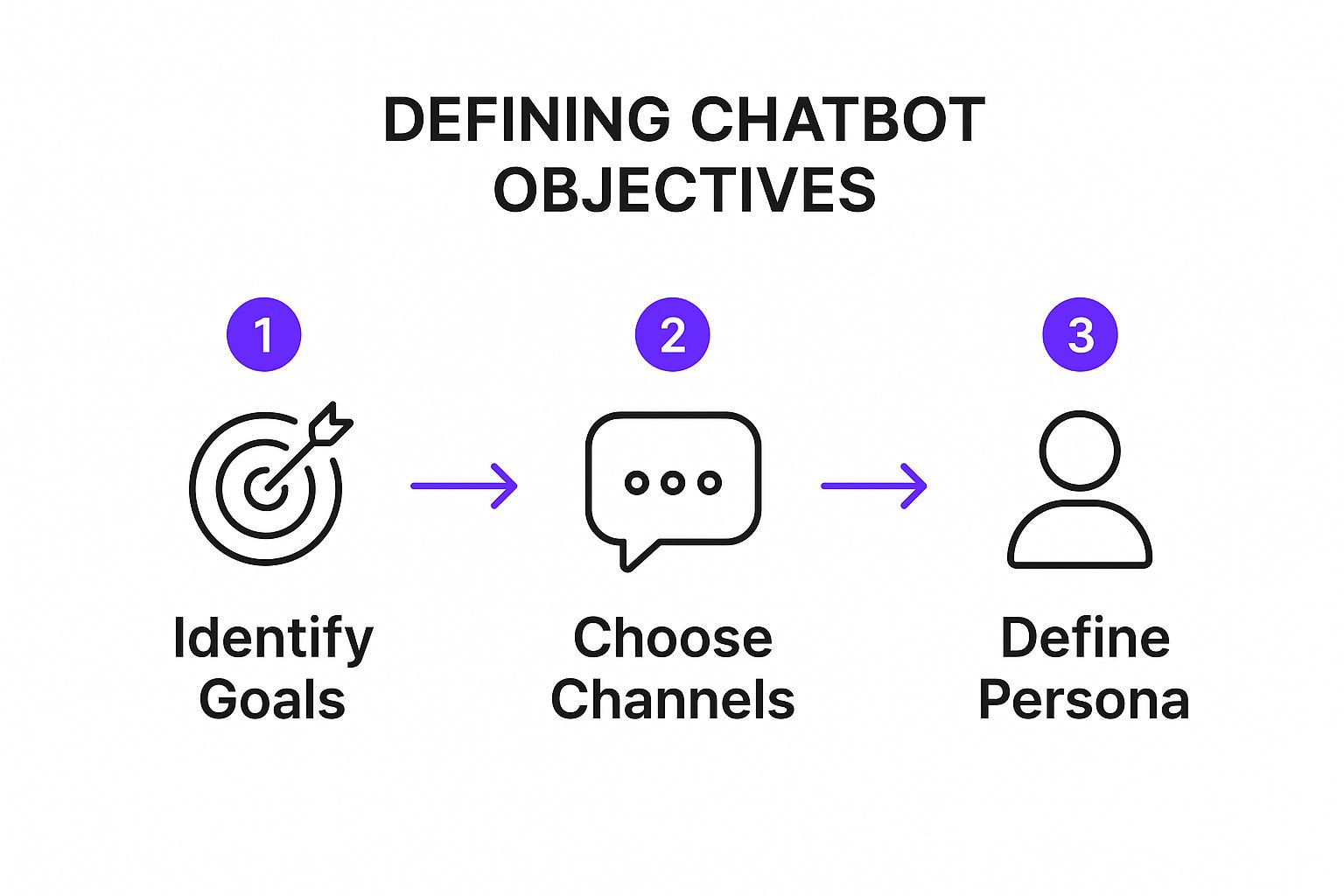
The infographic above visualizes key steps in defining your chatbot objectives: identifying your goals, choosing communication channels, and defining the chatbot’s persona. These steps ensure your chatbot aligns with your business strategy and effectively engages your target audience, leading to better outcomes.
Understanding the Landscape of Chatbot Platforms
Chatbot platforms generally fall into two categories: no-code platforms and platforms requiring coding. No-code platforms, like Chatfuel and ManyChat, are ideal for beginners. They offer drag-and-drop interfaces, pre-built templates, and simple integrations, allowing you to build a functional chatbot without writing any code.
For advanced functionality and customization, platforms like Dialogflow and Microsoft Bot Framework offer greater flexibility. However, these platforms usually require coding experience, making them better suited for developers or businesses with technical teams. Dialogflow, for example, allows for advanced natural language understanding (NLU), essential for complex conversations.
Exploring Popular Chatbot Platforms
Each platform caters to different needs. Let's examine some leading platforms:
Whisperchat.ai: A no-code platform designed to use AI, particularly GPT models. Users can train chatbots on their own data, ideal for businesses wanting a tailored chatbot.
Chatfuel: A no-code platform specializing in Facebook Messenger bots. It provides numerous templates and integrations for businesses focused on this platform.
ManyChat: Similar to Chatfuel, this versatile no-code platform offers visual builders and automation tools for various messaging platforms.
Dialogflow: A powerful conversational AI platform from Google. It is best suited for developers seeking advanced NLU and integration with other Google services.
Microsoft Bot Framework: A robust framework for building enterprise-grade chatbots. This framework provides extensive customization options and integrates with Microsoft products, ideal for developers.
To help you compare these options, here's a quick breakdown:
Chatbot Development Platform Comparison
| Platform | Skill Level Required | Pricing Model | Best For | Key Features |
|---|---|---|---|---|
| Whisperchat.ai | Beginner | Varies | AI-powered chatbots | GPT model integration, custom data training |
| Chatfuel | Beginner | Freemium | Facebook Messenger bots | Templates, integrations |
| ManyChat | Beginner | Freemium | Visual chatbot building | Automation tools, multi-platform support |
| Dialogflow | Developer | Pay-as-you-go | Advanced NLU | Google services integration |
| Microsoft Bot Framework | Developer | Pay-as-you-go | Enterprise chatbots | Customization, Microsoft integrations |
This table highlights key differences between platforms, allowing you to quickly identify those aligning with your specific needs. Consider factors like coding experience, budget, and desired features when making your selection.
Choosing the Right Platform for Your Needs
Your choice will depend on several factors:
Skill Level: Beginners should choose no-code platforms. Experienced coders can consider more advanced options.
Budget: Platforms range from free tiers to enterprise pricing. Consider potential hidden costs, such as message limits or add-on features.
Integration Needs: The platform should integrate with your existing CRM, website, and other systems.
Scalability: Consider future growth and increasing chatbot traffic.
By carefully evaluating these factors, you can choose a platform that meets your current and future needs. Making the right choice now can save you significant time and effort down the line, ensuring your chatbot project is a success.
Mapping Your Bot's Brain Before You Build
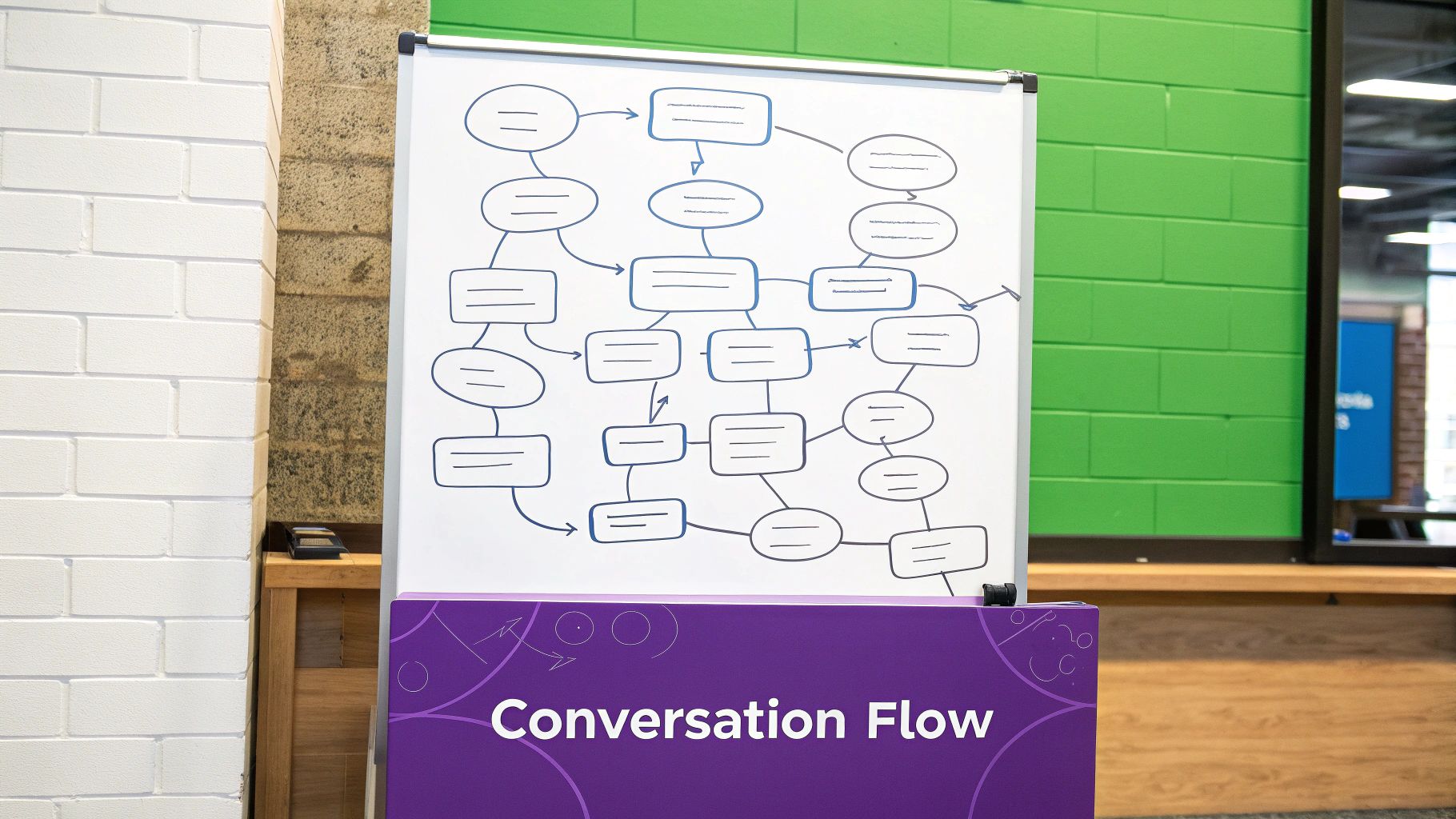
Building a successful chatbot takes careful planning and a thorough understanding of your target audience. This initial planning phase distinguishes a truly effective chatbot from a basic one. Without a well-defined plan, you risk creating a bot that frustrates users and falls short of your business goals. This section explains how to build a chatbot effectively by first mapping its conversational flow.
Defining Clear Objectives for Your Chatbot
Before starting the build, determine what you want your chatbot to achieve. Clearly defined objectives are essential for a successful chatbot project. Are you looking to improve customer service, generate leads, or automate certain tasks?
For instance, if your goal is to reduce customer support tickets, your chatbot should be designed to handle frequently asked questions effectively. This clarity will guide your design and development choices.
Understanding Your Target Audience
Understanding your audience is crucial for designing effective conversation flows. Consider how your target audience communicates. What are their common questions and pain points?
By understanding their language and preferences, you can create a chatbot that feels natural and resonates with them, avoiding a robotic interaction. This is fundamental to building a chatbot that genuinely engages users.
Mapping Conversation Flows
A conversation flow, similar to a decision tree, maps the potential paths a conversation with your chatbot can follow. This visual representation helps you anticipate user intents and design suitable responses.
Consider different scenarios and how your chatbot should react. If a user asks about pricing, for example, the chatbot could provide information on various plans and guide them toward making a purchase.
Handling the Unexpected: Fallback Options
Users will inevitably ask questions your chatbot isn't programmed to answer. This is where fallback options are essential. These are pre-defined responses for handling unexpected inquiries gracefully.
A well-crafted fallback might ask the user to rephrase their question, offer to connect them with a human agent, or provide links to helpful resources.
Managing Multi-Turn Conversations
Many conversations won't be resolved in a single exchange. Your chatbot must be capable of handling multi-turn conversations. This means maintaining context and remembering previous interactions within a single conversation.
For example, if a user asks about a specific product feature, the chatbot should remember this information when the user asks a related follow-up question. This capability is crucial for a seamless and natural user experience.
Planning for Edge Cases
Edge cases are unusual or unexpected scenarios that can disrupt the conversation flow. Anticipating these situations is key to building a robust chatbot.
Consider scenarios such as a user providing incorrect information or asking a series of unrelated questions. Developing strategies for managing edge cases ensures a positive user experience, even when the conversation takes an unexpected turn. This careful planning is crucial for building a chatbot that provides consistent performance. By following these steps, you establish a solid foundation for a chatbot that is not only functional but also engaging and effective.
Building Your First Bot: From Concept To Reality
Now it's time to bring your chatbot vision to life. This section will guide you through the process of building your first chatbot, from initial concept to a fully functioning reality. Whether you're using a visual chatbot builder or diving into code, these steps are essential for creating a chatbot that's both effective and user-friendly.
Defining Intents and Entities
Understanding user intents is the cornerstone of any successful chatbot. An intent represents the user's goal or the reason behind their message. Common examples include "book a flight," "make a reservation," or "contact customer support."
Just as crucial are entities. Entities are the specific pieces of information within the user's message that provide context and detail to the intent. In the "book a flight" example, entities might include the "destination," "departure date," and "number of passengers." Correctly identifying both intents and entities is paramount for building a chatbot that truly comprehends user requests.
Setting Up Training Phrases
Training phrases are how you teach your chatbot to recognize the various ways users might express the same intent. These phrases should be diverse in their wording and sentence structure to reflect the natural variations in human language.
For instance, if the intent is "check order status," training phrases could include "Where's my order?", "What's the status of my order?", "Can I track my package?", or even "Is my order here yet?". This variety helps your chatbot understand different phrasings and ensures a more robust user experience.
Configuring Chatbot Responses
With intents and entities defined, you now need to configure your chatbot's responses. These responses should be natural, conversational, and directly address the user's intent.
If a user asks "What are your business hours?", the chatbot should respond with your hours of operation. These responses can be pre-written text, dynamically generated content based on the user's input, or even a blend of both.
Integrating Webhooks and APIs
Webhooks and APIs empower your chatbot to interact with external systems, retrieving real-time data and performing actions beyond simple pre-programmed responses. This expands your chatbot's functionality and allows for more complex interactions.
For example, a webhook can connect your chatbot to your CRM system, automatically updating customer information. API integrations can retrieve live data like product availability or shipping details, presenting them directly within the chat. Check out our guide on how to create a chatbot on Whisperchat.ai.
Managing Conversation State and User Authentication
For more intricate conversations, your chatbot needs to remember previous messages and user inputs. This is known as conversation state.
If a user has already provided their account number, the chatbot should retain this information for subsequent interactions within the same conversation. You might also need to incorporate user authentication to ensure secure access to sensitive data or to perform specific actions.
Troubleshooting and Debugging
Building a chatbot inevitably involves troubleshooting and debugging. Thorough testing and the use of debugging tools are essential to identify and resolve issues, ensuring your chatbot functions as intended.
Common problems include incorrect intent recognition, inaccurate entity extraction, and issues with webhook integrations. Developing strong debugging skills is key to maintaining a healthy and functional chatbot. You might be interested in: How to master chatbot building with Whisperchat.ai. This will help you understand the platform in more detail and learn how to build a chat bot that matches your needs.
By following these steps, you'll be well on your way to building a chatbot that meets your specific business needs and delivers valuable support to your users. Remember, chatbot development is an iterative process, requiring continuous improvement based on user feedback and performance analysis.
Making Your Bot Actually Intelligent With AI
Building a basic chatbot is a good start. However, to truly engage users and provide valuable interactions, you need to incorporate Artificial Intelligence (AI). This means using technologies like Natural Language Processing (NLP) and Machine Learning (ML) to create a chatbot that understands, learns, and adapts. This section explores how to build a chatbot that’s truly intelligent.
Implementing Intelligence Features
AI empowers your chatbot to move beyond simple, pre-programmed responses. Intent recognition allows the bot to understand the underlying purpose of a user's message, even if phrased differently. For example, "What are your prices?" and "How much does it cost?" both convey the same intent: to inquire about pricing.
Entity extraction goes hand-in-hand with intent recognition. It identifies key pieces of information within the user's message. In the pricing example, "price" would be the entity. This information allows the chatbot to provide specific and relevant answers.
Sentiment analysis further enhances interactions. By detecting the emotional tone of a user's message, the chatbot can respond appropriately. A frustrated user might benefit from a more empathetic response, while a positive sentiment can be met with enthusiasm.
Training Your Bot With Relevant Data
AI models, especially in NLP, thrive on data. Training your chatbot with relevant data is crucial for its effectiveness. The more data it has, the better it understands user queries and formulates appropriate responses.
This data can include various sources:
- Transcripts of past customer service conversations
- FAQs
- Product documentation
- Website content
Platforms like Whisperchat.ai simplify this process by allowing you to train chatbots directly on your own data sources. These can include PDFs, TXT files, Word documents, or live website URLs. For more information on training your chatbot, check out this resource: How to master chatbot training with Whisperchat.ai.
Context Awareness and Pre-trained Models
Context awareness is another key aspect of an intelligent chatbot. This means the bot remembers previous interactions within a conversation. It uses this information to provide more relevant responses. For example, if a user asks about a product feature and then inquires about its price, the chatbot should understand the context and relate the price to the previously discussed feature.
Using pre-trained models can significantly accelerate your development process. These models come with existing knowledge and linguistic understanding, allowing you to bypass extensive initial training.
Balancing Automation with Human Handoff
While automation is a primary goal of chatbots, recognizing their limitations is essential. Sometimes a human touch is required. Implementing a seamless human handoff strategy is crucial for handling complex queries or situations requiring empathy and nuanced understanding.
This means ensuring your chatbot knows when to escalate a conversation to a human agent. Indicators for handoff might include:
- Repeated fallback responses
- Negative sentiment detection
- Explicit user requests to speak with a representative
Generative AI chatbots have recently become increasingly popular. As of May 2025, ChatGPT held a market share of 76.4% among generative AI chatbots, largely due to its advanced text generation capabilities. This growth drives the broader chatbot market, projected to reach USD 61.97 billion by 2035. Learn more about the current landscape: generative AI chatbots here.
Continuously Improving Your Chatbot
Building an intelligent chatbot isn't a one-time effort. It's a process of continuous improvement. Regularly analyze conversation logs, gather user feedback, and retrain your bot with new data. This will help you identify areas for optimization and enhance performance over time. This ensures your chatbot stays relevant, effective, and delivers a positive user experience. This iterative approach allows your chatbot to evolve and adapt to changing needs, maximizing its value for your business and your users.
Launching and Optimizing for Long-Term Success
Building a chatbot is just the first step. The real journey begins with testing, deploying, and continuously optimizing your creation. This ensures your chatbot delivers long-term value and adapts to evolving user needs and business objectives. It's the key to building a truly thriving chatbot.
Comprehensive Testing Strategies
Before your chatbot interacts with the public, thorough testing is critical. This involves several key stages:
Unit Testing: This focuses on individual components of your chatbot. It ensures each part functions correctly in isolation. For example, you would test if specific intents are recognized accurately or if entities are extracted correctly.
Integration Testing: This tests how the different parts of your chatbot work together. This includes elements like webhook integrations, API connections, and database interactions. Integration testing verifies the entire system functions as a cohesive whole.
User Acceptance Testing (UAT): This involves real users interacting with your chatbot in a controlled environment. UAT provides invaluable feedback on the overall user experience, revealing unforeseen issues and areas for improvement.
Deployment Best Practices
Deploying your chatbot effectively is crucial for maximizing reach and user engagement. Consider the following best practices:
Choose the Right Channels: Identify the platforms your target audience frequents. This could include your website, popular messaging apps like WhatsApp or Facebook Messenger, or social media platforms.
Seamless Integration: Ensure your chatbot integrates smoothly with existing systems, such as your website’s design and your customer relationship management (CRM) software.
Clear Communication: Inform users about your chatbot's capabilities and how to interact with it effectively. Provide clear instructions and guidance within the chat interface itself.
Monitoring and Analytics
Once your chatbot is live, tracking its performance is essential. Here are a few key metrics to focus on:
Conversation Completion Rate: The percentage of conversations where the chatbot successfully addresses the user's needs.
User Satisfaction Scores: Gathered through feedback surveys or sentiment analysis, these scores indicate user satisfaction with their chatbot interactions.
Business Impact Measurements: Quantify the chatbot’s impact on key business metrics. These might include lead generation, customer support ticket reduction, or sales conversions. This data demonstrates the chatbot’s value and informs future optimization strategies.
To effectively track and analyze these metrics, use dedicated monitoring and analytics tools provided by your chatbot platform. Many platforms offer dashboards displaying key performance indicators (KPIs) and allow for exporting data for deeper analysis. Here's a helpful resource: How to master...
To further illustrate how to monitor your chatbot's performance, let's look at a sample dashboard structure. The table below outlines key metrics to track:
Chatbot Performance Metrics Dashboard: Key performance indicators and metrics to track for chatbot success and optimization
| Metric | Description | Target Range | Tracking Method | Optimization Tips |
|---|---|---|---|---|
| Conversation Completion Rate | Percentage of conversations successfully completed | 70-90% | Chatbot platform analytics | Optimize conversation flows, improve intent recognition |
| User Satisfaction Score | User satisfaction with chatbot interactions | 4.0-5.0 (out of 5) | User feedback surveys | Address negative feedback, personalize interactions |
| Lead Generation | Number of leads generated through the chatbot | Based on business goals | CRM integration | Offer valuable lead magnets, qualify leads effectively |
| Customer Support Ticket Reduction | Percentage decrease in support tickets | 10-30% | Help desk integration | Provide self-service options, deflect common inquiries |
| Sales Conversions | Number of sales generated through the chatbot | Based on business goals | E-commerce platform integration | Offer personalized product recommendations, streamline checkout process |
This table represents a starting point for tracking chatbot performance. The specific metrics and target ranges should be tailored to your individual business goals. Regularly reviewing these metrics will help you identify areas for improvement and ensure your chatbot is contributing to your overall business success.
Ongoing Maintenance and Updates
A successful chatbot requires ongoing maintenance and updates. This includes:
Regularly Reviewing Conversation Logs: This helps identify recurring issues, understand user behavior, and refine your chatbot's responses.
Implementing Updates Based on User Feedback: Actively solicit user feedback and incorporate it into the chatbot’s design and functionality.
Keeping Up with Platform Changes: Stay informed about updates and changes to the platforms your chatbot operates on. This ensures compatibility and prevents service disruptions.
Scaling Your Chatbot for Growth
As your business grows, your chatbot should scale accordingly. This involves several key considerations:
Handling Increased Traffic: Ensure your chatbot platform can handle a growing volume of conversations without any performance degradation.
Expanding Functionality: Add new features and capabilities to meet evolving user needs and business objectives.
Adapting to Changing User Behavior: Monitor user interactions and adapt your chatbot's responses and conversation flows as user preferences evolve.
By implementing these strategies, you can ensure your chatbot remains a valuable asset, providing exceptional user experiences and contributing to your long-term success.
Key Takeaways
Building a chatbot can feel overwhelming, but by breaking down the process and focusing on key takeaways, you can create a bot that truly serves your business goals. This section summarizes essential insights from each development stage, offering a practical roadmap for your chatbot journey.
Defining Your Objectives and Understanding Your Audience
Clearly defining your objectives before building is crucial. Ask yourself: What should your chatbot achieve? Is it for customer support, lead generation, or another purpose? This clarity will guide your design and development choices for a focused and effective outcome.
Understanding your target audience is equally important. Their communication style, common questions, and pain points should inform your chatbot's interactions. A chatbot that speaks their language and addresses their needs will be far more engaging.
Choosing the Right Platform and Mapping Conversation Flows
Selecting the right chatbot platform is another key takeaway. The available platforms range from no-code solutions for beginners to complex frameworks for experienced developers. Consider your technical skills, budget, and integration needs when making your decision. Platforms like Whisperchat.ai offer a simple yet powerful way to build AI-powered chatbots without coding.
Once you've chosen a platform, mapping your chatbot's conversation flow is paramount. This involves anticipating user intents, designing appropriate responses, and planning for unexpected scenarios. A well-defined conversation flow ensures a smooth and user-friendly experience.
Building Your Bot and Implementing AI
The building phase involves defining intents and entities, setting up training phrases, and configuring responses. These elements work together to ensure your chatbot understands and responds appropriately to user input. For example, if a user asks, "What are your business hours?", "business hours" is the entity, and the intent is "inquire about business hours". The chatbot should then respond with your actual operating hours.
Implementing AI enhances your chatbot. Features like intent recognition, entity extraction, and sentiment analysis allow your bot to understand the nuances of human language and respond more intelligently. Training your chatbot with relevant data, whether from customer service transcripts or website content, is vital for its effectiveness.
Launching, Optimizing, and Maintaining Your Chatbot
Launching your chatbot is just the beginning. Ongoing testing, optimization, and maintenance are essential for long-term success. Thorough testing includes unit tests, integration tests, and user acceptance testing (UAT) with real users. These practices will help you identify and resolve any issues before your chatbot goes live.
Monitoring and analytics are vital for continuous improvement. Track key metrics like conversation completion rates and user satisfaction scores. This data offers insights into user behavior and areas for chatbot improvement. Regular updates based on user feedback and performance analysis are essential. As your business grows, ensure your chatbot scales to handle increased traffic and incorporate new features.
By focusing on these key takeaways and building strategically, you're creating a valuable asset for your business. A well-designed chatbot can significantly improve customer service, streamline workflows, and drive business growth. Explore how Whisperchat.ai can help you build your perfect chatbot today: Get started with Whisperchat.ai.